A cyber incident may begin with one suspicious login, one compromised account or one unusual system alert. The first response usually sits with the security team, but the consequences can quickly reach much further.
IT may need to isolate systems. Operations may need to change how services are delivered. Legal may need to assess contractual or data protection responsibilities. Communications may need to prepare messages for employees or customers. HR may need to support affected staff, while senior leadership decides which risks the organisation is prepared to accept.
The technical investigation may still be developing, yet the wider business already needs to make decisions.
This creates a common problem: an organisation may have strong security tools and a detailed technical playbook, but no clear way to coordinate the people and decisions outside the security function.
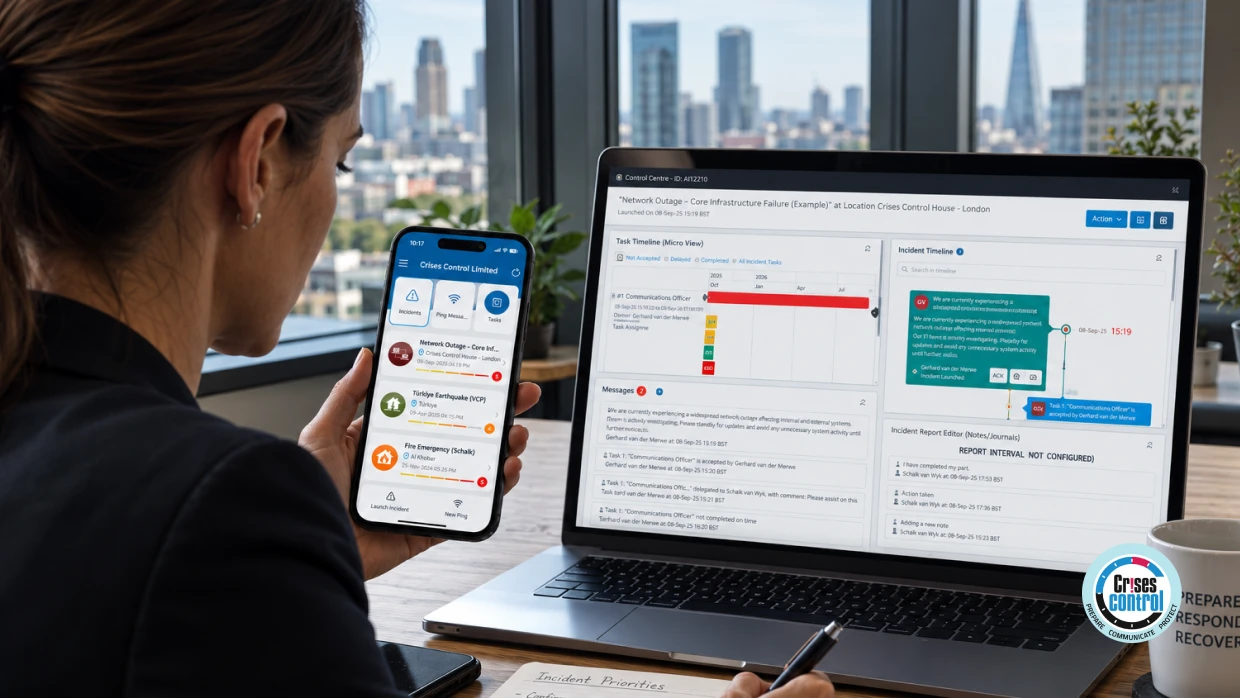
Incident Response Software helps address this gap by connecting response plans, role-based communication, task ownership, escalation and incident records. It does not replace security monitoring, forensic investigation or technical recovery. It gives the wider organisation a structured way to understand the situation, agree responsibilities and coordinate what happens next.
A Cyber Incident Rarely Stays Within IT
Consider a technology company that provides a cloud-based service to business customers.
At 08:40, the security operations team detects unusual activity involving a privileged account. The analyst reviewing the alert finds signs that the credentials may have been compromised. The team begins investigating access logs, checking related accounts and taking initial containment steps.
Within minutes, several other teams become involved.
IT needs to understand whether other systems are affected. The infrastructure team needs to assess the potential impact on customer-facing services. The CISO needs to brief the CIO. Customer support needs guidance in case clients report access problems. Legal needs to understand whether the incident could create contractual or data protection concerns. Communications needs to prepare clear internal information without sharing unconfirmed details.
The Business Continuity Manager may also need to assess whether important services can continue if systems are isolated or taken offline.
No single team owns all of these responsibilities.
The security team may lead the technical investigation, but it may not own customer communication, service continuity, legal decisions or the organisation’s overall risk appetite. A cyber incident therefore needs a management structure that works alongside the technical response.
What Is Incident Response Software?
Incident Response Software is a digital system that helps organisations coordinate the people, decisions, communications, actions and records involved in managing an incident.
During a cyber incident, it may support:
- Activating a relevant response plan
- Contacting specific roles or response groups
- Assigning actions to named owners
- Tracking acknowledgements and progress
- Escalating unresolved issues
- Recording decisions and approvals
- Sharing approved updates
- Maintaining an incident timeline
- Coordinating recovery activities
- Supporting post-incident reviews
Security Information and Event Management platforms, endpoint detection tools and threat intelligence systems remain essential for identifying and investigating cyber threats. A coordination platform serves a different purpose. It helps turn technical findings into practical organisational action.
This distinction is especially relevant to technology companies. A cyber incident may affect customer services, infrastructure, development environments, support teams, suppliers and commercial commitments at the same time.
The First Priority Is Establishing A Shared Picture
Early information about a cyber incident is rarely complete.
One team may believe the problem is limited to one account. Another may have found evidence of wider access. The service desk may be receiving reports from employees, while customer support is dealing with questions from clients. Leadership may be asking when services will return to normal before the technical team can provide a reliable estimate.
Without a shared picture, teams can begin working from different versions of the incident.
A useful incident record should separate confirmed information from assumptions. It should show:
- What is known: Facts supported by evidence.
- What is suspected: Working theories that still need investigation.
- What is affected: Systems, services, users, suppliers or locations involved.
- What is not yet known: Important gaps that need attention.
- What has happened: Containment steps, communications and decisions already completed.
- What happens next: Actions, owners, deadlines and decision points.
This structure helps prevent speculation from becoming accepted as fact. It also gives senior leaders enough context to make decisions without requiring them to interpret technical logs.
Time also matters. Every significant update should include a clear timestamp and, where teams work across regions, an agreed time reference. This helps avoid confusion during handovers and makes it easier to reconstruct the sequence of events afterwards.
NIST’s incident response guidance places response within wider cybersecurity risk management and emphasises the need to connect preparation, detection, response and recovery activities across the organisation. Read the NIST guidance on incident response.
Decision Ownership Must Be Clear Before The Incident
A cyber incident can create difficult choices, particularly when containment affects business services.
The technical team may recommend disabling a compromised account, isolating a server or taking a customer-facing application offline. Each action may reduce one risk while creating another.
For example, isolating a production environment may help contain suspicious activity, but it could also interrupt customer access. Resetting thousands of credentials may improve security while creating a surge in support requests. Blocking external connections may limit attacker activity while affecting suppliers or remote employees.
These decisions should not depend on informal messages or assumptions about who has authority.
Organisations should define decision ownership in advance.
Decision | Likely Owner Or Contributors |
Investigate suspicious activity | Security Operations Manager or technical security lead |
Isolate an affected system | Technical lead, with business impact considered |
Activate the wider response | CISO, Incident Manager or delegated authority |
Approve customer communications | Communications and legal representatives |
Decide how critical services should operate | Business or operational leadership |
Assess continuity arrangements | Business Continuity Manager and service owners |
Approve major business trade-offs | Executive leadership |
Coordinate the overall response | Named Incident Manager or management lead |
The exact structure will vary between organisations. The important point is that people understand their responsibilities and know who can act when a key decision-maker is unavailable.
Deputies and delegated authority should be included in the plan. A response process that depends on one person being available is difficult to rely on during a serious incident.
Escalation Should Be Based On Business Impact
Not every security alert requires executive involvement.
If every blocked login or suspicious email is escalated to senior leadership, important information can become difficult to identify. Waiting too long to escalate a serious incident creates a different problem because decision-makers may not have enough time to prepare.
A useful escalation model should consider both technical severity and business impact.
Technical Factors
- Evidence of unauthorised access
- Involvement of privileged accounts
- Malware or ransomware activity
- Possible data access or extraction
- Spread across multiple systems
- Loss of system integrity
- Inability to confirm whether systems are safe
Business Factors
- Customer-facing service disruption
- Loss of access to critical data
- Financial or payment interruption
- Impact on contractual commitments
- Possible legal or regulatory consequences
- Supplier or partner disruption
- Effects on safety, security or essential operations
- Inability to maintain important business services
A technically serious issue may remain within a specialist team if the impact is contained and the correct authority is already involved. A smaller technical issue may require rapid escalation if it affects a critical customer service.
Escalation rules should state who receives the alert, which channel should be used, what information must be included and what happens if the first person contacted does not respond.
Communication Must Be Clear Even When Facts Are Incomplete
Cyber incidents create pressure to communicate before the investigation is finished.
Employees may notice access problems. Customers may report unusual behaviour. Suppliers may ask whether services will continue. Silence can lead to rumours, while poorly controlled messages can create confusion or expose information that has not been verified.
A useful communication process separates facts from assumptions.
Internal messages should explain:
- What has happened based on current evidence
- Which systems or services may be affected
- What employees should do now
- What they should avoid doing
- Where further updates will be provided
- When the next update is expected
- Who should receive urgent questions
External messages require further consideration. The organisation may need to confirm service availability, explain customer actions, provide an update time or obtain legal approval before communicating certain details.
Different audiences need different information. Security specialists may need technical indicators and containment instructions. Employees may need practical guidance about accounts and suspicious messages. Customers may need to know whether they can use the service and what to expect next.
The goal is not to send every update to everyone. It is to provide the right information to the people who need it to make a decision or take action.
Parallel Actions Need Named Owners
A cyber incident can generate dozens of actions across several departments.
Security may need to preserve evidence. IT may need to reset accounts. Legal may need to review obligations. Communications may need to prepare an employee update. HR may need to support affected staff. Operations may need to activate a workaround. Customer service may need a clear response script.
These activities are connected, but they do not all have the same owner or deadline.
A useful action register should record:
- The action required
- Why it is needed
- The person responsible
- The supporting team
- The priority
- The deadline or review time
- The current status
- Any dependency or blocker
- The person who approved it
This gives leadership a clearer view of progress. Instead of asking whether the incident is being managed, leaders can see which actions are complete, which are delayed and which decisions are holding up the response.
It also reduces the risk of an action being discussed by several people without being assigned to anyone.
Why Email Chains And Spreadsheets Can Become A Problem
Manual tools are not automatically ineffective. A small incident may be managed successfully through a phone call, a shared document and a structured email.
The difficulty begins when the response becomes too large, too fast or too complex for those tools.
Information can become fragmented across inboxes, spreadsheets, messaging channels and individual notes. Different teams may maintain separate action lists, making it difficult to identify the current position.
Ownership can also become unclear. A manager may assume that someone else has contacted a supplier or briefed leadership. An important decision may be buried in a message thread. A spreadsheet may be updated by one person while another team continues using an older version.
Manual coordination also depends heavily on individual knowledge. If the person who created the action list becomes unavailable, other responders may struggle to understand what has happened or what needs to happen next.
Digital coordination does not remove the need for judgement. It helps reduce the administrative effort involved in keeping information, actions and responsibilities connected.
Detection Does Not Automatically Mean Readiness
A common assumption is that an organisation with strong detection and monitoring tools is ready to manage a cyber incident.
Detection is essential, but it is only one part of response capability.
A security platform may identify suspicious activity, correlate alerts and support investigation. It may not identify who can approve customer communication, who owns the continuity response or how a supplier should be involved.
Readiness depends on the connection between technology, people and process.
Organisations should therefore test more than their ability to detect a threat. They should also test whether they can:
- Activate the correct response structure
- Contact the right people
- Make decisions with incomplete information
- Communicate if normal systems are unavailable
- Coordinate technical and business actions
- Keep employees and customers informed
- Record decisions and evidence
- Maintain important services
- Confirm when recovery is safe
- Learn from the incident
The question is not simply whether the organisation can identify an attacker. It is whether the organisation can manage the consequences of the incident across departments.
A Practical Framework For Coordinating Cyber Incidents
The following framework can help organisations review their current arrangements.
1. Detect And Validate
Identify the initial signal and establish whether it requires incident handling. Record the source, time, affected asset and initial evidence.
2. Classify The Incident
Assess the possible effects on confidentiality, integrity and availability. Consider the business services connected to the affected systems.
3. Activate The Right Response
Bring in the technical, operational and management roles required for the situation. Use agreed criteria to determine the response level.
4. Establish The Incident Picture
Maintain one authoritative record of confirmed facts, assumptions, affected services, decisions, actions and unresolved questions.
5. Confirm Decision Rights
Identify who can approve containment, service changes, communications, workarounds, legal engagement and escalation.
6. Coordinate Communication
Use approved channels and provide audience-specific updates. Explain what is known, what is being investigated and when the next update will be issued.
7. Track Actions And Dependencies
Assign every important action to a named owner. Record deadlines, blockers and dependencies between technical and business tasks.
8. Recover And Review
Confirm that systems are safe to return to service. Check whether customer, supplier, financial and operational consequences have been resolved. Review both the incident and the response process.
This approach reflects recognised incident management practice by connecting preparation, communication, decision-making, containment, recovery and learning.
How Crises Control Can Support The Wider Response
Crises Control provides a practical coordination layer around an incident without replacing specialist cybersecurity tools.
Organisations can use digital response plans to establish the steps, roles and communication routes required for different incident types. Role-based communication helps direct information to the teams and individuals who need to act, while acknowledgement tracking can show whether instructions have been received.
Tasks can be assigned to named owners and followed through the response. Escalation routes can help bring unresolved issues to the attention of the appropriate person. Cloud access supports authorised users working from different locations, while incident records provide a structured history of communications, actions and decisions.
This can be useful when a cyber incident involves security, IT, legal, communications, HR, operations, Business Continuity and senior leadership at the same time.
The platform does not replace security monitoring, forensic investigation or technical recovery. Its role is to help the wider organisation coordinate the decisions and actions that sit around those specialist activities.
For a related perspective, read Incident Response Software: Managing Cyber Incidents In Oil And Gas, which explores how a cyber incident can affect IT, operational technology, plant operations, HSE and business continuity.
The Real Measure Of Cyber Response Capability
A successful cyber response is not measured only by how quickly a security analyst identifies a threat.
It also depends on whether the organisation can make sound decisions, communicate clearly, coordinate departments and maintain important services while the technical investigation continues.
Security teams need the tools and expertise to investigate and contain threats. Leadership needs reliable information and clear decision routes. Operations teams need to understand the impact on services. Communications teams need approved messages. Business Continuity Managers need a practical way to connect response plans with action.
Incident Response Software can help bring these activities together through structured plans, role-based communication, task ownership, escalation and incident records.
When a cyber incident crosses departmental boundaries, the response process should help everyone work from the same information and towards the same priorities.
Crises Control helps organisations coordinate the wider response by connecting plans, communication, incidents, tasks and escalation in one place. It gives teams a practical way to move from detecting an incident to managing the decisions and actions that follow.
Frequently Asked Questions
What Is Incident Response Software?
Incident Response Software is a digital system that helps organisations coordinate people, communications, actions, decisions and records during an incident. During a cyber incident, it supports the wider organisational response alongside specialist security and technical tools.
What Is The Difference Between Incident Response Software And Security Monitoring Software?
Security monitoring software focuses on detecting, analysing and investigating suspicious activity. Incident Response Software focuses on coordinating the wider response, including communication, task ownership, escalation, decision records and recovery activities.
Who Should Be Involved In A Cyber Incident Response?
The response team will depend on the incident, but it may include security operations, IT, infrastructure, senior leadership, legal, communications, HR, Business Continuity, operations, customer service, suppliers and external specialists.
How Does Incident Response Software Help During A Cyber Incident?
It can help organisations activate response plans, contact the right people, track acknowledgements, assign tasks, record decisions, escalate unresolved issues and maintain a shared view of the incident.
Should Technology Companies Use Incident Response Software?
Technology companies should assess whether their current tools can coordinate cyber incidents across security, IT, leadership, operations, communications and Business Continuity. A dedicated coordination system may be useful when incidents affect multiple teams, customer services, suppliers or critical technology dependencies.
This article was drafted with AI assistance and reviewed by the Crises Control team. Featured image: AI-generated.