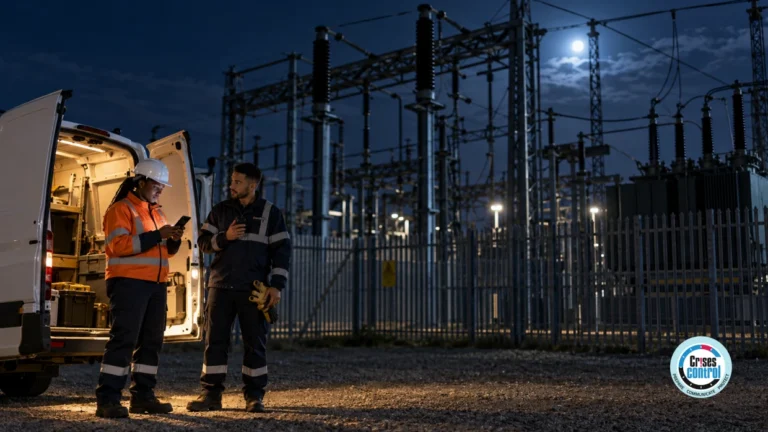
A gas release occurs at a large processing facility. The site alarm sounds and the Emergency Response Manager orders workers in the affected area to evacuate.
The instruction is clear: leave the area and report to the designated muster point.
But within minutes, a more difficult problem appears.
Did everyone receive the instruction? Did contractors working in another part of the site hear it? Has the night shift been accounted for? Is the maintenance team still inside a restricted area? Who has acknowledged the message, and who has not responded?
For an HSE Manager, Site Manager or Emergency Response Manager, sending the alert is only the beginning.
The real challenge is knowing what happened after it was sent.
Emergency Notification Software can help by giving response teams a structured way to communicate with defined groups, collect acknowledgements and identify people who may need further attention. It does not replace site alarms, radios, supervisors or physical muster procedures. It helps connect those arrangements with better information.
That distinction matters because communicating an instruction and accounting for people are not the same thing.
When An Emergency Moves Faster Than Your Workforce
Oil and gas facilities can have large and constantly changing workforces.
Permanent employees may work alongside contractors, maintenance teams, engineers, security personnel, visitors, drivers and specialist workers. They can be spread across processing units, workshops, loading areas, warehouses, accommodation blocks, terminals or offshore installations.
People also move during a shift.
A contractor who started the morning in a maintenance workshop may later be working beside a processing unit. An engineer could be visiting from another facility. A technician may be working alone in an area that is normally quiet.
That creates a practical problem:
How do you communicate with people based on where they are and what they need to do?
A site-wide instruction may be unnecessary if only one area is affected. A highly targeted instruction creates another risk if someone who should have received it is missed.
The answer starts before the emergency. Organisations need a clear understanding of how their workforce is structured and how people move around the operation.
Emergency Notification Software Is Not Just About Sending Alerts
Emergency Notification Software is used to send urgent instructions to defined people or groups and provide information about their responses.
For an oil and gas operation, this might mean:
- Evacuating a specific processing area
- Asking a site to shelter in place
- Restricting access to a particular zone
- Instructing a response team to attend an incident
- Asking workers to report to a designated muster point
- Sending a follow-up instruction when circumstances change
A useful system should help answer four questions:
- Who needs the message?
- What do they need to know or do?
- Have they responded?
- Who still needs attention?
The fourth question is often the most useful.
A delivered message does not mean a person is safe. An acknowledgement does not necessarily mean they have reached the muster point.
The notification system provides information that can support the wider emergency process. The site’s established procedures determine how that information is interpreted.
Reaching People And Accounting For People Are Different
Consider a refinery fire.
The Emergency Response Manager issues an evacuation instruction to the affected area. Employees and contractors begin moving towards their designated muster points.
Acknowledgements start coming through.
Most people have responded.
Several have not.
That does not automatically mean those workers are missing. Someone may have heard the site alarm and already be evacuating. Someone may be working in an area with poor connectivity. Another person may be responding to the incident and unable to acknowledge the message.
But the unanswered responses are now visible.
The response team has something to investigate.
They can check supervisors, muster information and established personnel records. They can attempt further communication where appropriate and determine whether additional action is required.
This is a much more useful starting point than simply knowing that an alert was sent.
Contractors And Visitors Can Change The Accountability Picture
Permanent employees are generally easier to account for because they have established roles, departments and reporting structures.
Contractors and visitors can be different.
During planned maintenance, shutdowns or construction work, a facility may have large numbers of contractors on site. Their location can change during the day, and they may report through different supervisors.
Visitors can create another complication. Someone who arrived for a meeting or inspection may not be familiar with the site’s emergency arrangements.
An effective process should therefore consider:
- Employees and contractors
- Visitors and temporary personnel
- Different shifts
- Lone workers
- People working across several areas
- External specialists
- Supervisors responsible for multiple teams
The question is not simply whether these people appear on a contact list.
The question is whether the organisation can identify which people are affected by a particular emergency and communicate with them appropriately.
The Right Emergency Message Depends On The Situation
Evacuation is only one type of emergency instruction.
Depending on the incident, workers may need to:
- Evacuate a particular area
- Move to a designated muster point
- Shelter in place
- Avoid a specific zone
- Stop a particular work activity
- Remain where they are
- Follow a revised access route
- Report to a supervisor
- Prepare for a controlled shutdown
- Wait for further instructions
The wording needs to match the action required.
“Emergency. Evacuate.”
is very different from:
“Gas release reported in Processing Area B. Evacuate using the north route and report to Muster Point 3. Do not enter Processing Area B until further notice.”
The second instruction gives people something practical to act on.
The communication process should therefore be linked to predefined emergency procedures and groups. The response team should not have to decide from scratch who needs which instruction while the incident is developing.
Where Manual Communication Starts To Struggle
Radios, telephones and site alarms remain important parts of emergency response.
The difficulty comes when manual communication becomes the main method for coordinating a large and changing workforce.
Imagine an Emergency Response Manager asking six supervisors to contact their teams.
One supervisor is unavailable. Another has moved to a different part of the site. A contractor’s contact details are out of date. Someone is working in an area with limited reception.
Now the response team is trying to establish who has actually received the instruction while also managing the emergency itself.
Manual communication can create several problems:
- People can be missed
- Instructions can be repeated unnecessarily
- Different versions of a message can circulate
- Non-responses may not be obvious
- Escalation can depend on someone remembering to make another call
- Response leaders can spend time chasing updates
The issue is not that manual communication is wrong. It is that important information can become scattered across radio conversations, phone calls, spreadsheets and individual notes.
During a serious incident, that makes accountability harder.
Targeted Communication Can Reduce Confusion
Suppose a fire affects one processing unit.
Everyone on site may need to know there is an incident, but not everyone needs the same instruction.
Operations may need to change a process. Security may need to restrict access. HSE may need to attend the affected area. Workers nearby may need to evacuate. People in unaffected areas may need to remain where they are.
Mass Notification Software can support this type of targeted communication by allowing organisations to communicate with defined groups.
Groups could be based on:
- Site
- Department
- Role
- Work area
- Shift
- Contractor group
- Response responsibility
- Management level
The principle is straightforward: give people the information they need to take the action expected of them.
This becomes particularly useful when the incident changes. A second instruction can update the affected group without unnecessarily sending the same information to everyone else.
An Acknowledgement Needs A Follow-Up Process
An acknowledgement is only useful if the response team knows what it means and what happens next.
For example, an emergency message might ask workers to confirm:
- I am safe.
- I need assistance.
- I cannot respond.
The exact options should be determined by the organisation’s emergency procedures.
The response team can then use the information to identify people who need follow-up.
A simple process could be:
Alert → Response → Identify Gaps → Follow Up → Confirm Status
The organisation should decide in advance what happens when somebody does not respond.
Does the system escalate to their supervisor? Should another communication channel be used? Should the relevant area be checked? Is the person already accounted for through the physical muster process?
These decisions should be part of the emergency plan, rather than being invented during the incident.
A Common Assumption Worth Challenging
A common assumption is that if the site alarm has sounded, everyone knows what to do.
That is not always the case.
Industrial facilities can be noisy. Workers may be wearing hearing protection. People may be inside enclosed spaces or working at a distance from the alarm system. The alarm may tell them that something has happened without giving them enough information about the action they should take.
A targeted message can provide the missing instruction.
For example, it can explain which area is affected, where workers should go and whether they should avoid a particular route.
The same principle applies when an evacuation changes to shelter in place, when access routes change or when a second incident develops.
The alarm starts the response. Clear communication helps direct it.
What Good Emergency Communication Looks Like
HSE guidance for offshore operations recognises the need for emergency response arrangements covering evacuation, escape, rescue and recovery. Its guidance also highlights the importance of emergency communications and muster arrangements.
For HSE and emergency response teams, that provides a useful basis for reviewing the communication process.
Ask:
Can You Reach The Right People?
Does your process include contractors, visitors, lone workers, different shifts and people who move between work areas?
Can You Send Different Instructions?
Can the organisation communicate according to location, role or responsibility rather than treating the entire workforce as one group?
Can People Respond?
Can workers acknowledge an instruction or provide useful information back to the response team?
Can You See Who Has Not Responded?
Can the Emergency Response Manager identify communications that need further investigation?
Is Escalation Defined?
Does everyone know what happens when somebody does not respond?
Does It Work Across Shifts?
Can the process work during nights, weekends, handovers and periods when the workforce changes?
These questions are more useful than simply asking whether an organisation has an emergency notification system.
What Should You Test During An Emergency Exercise?
A drill should test the communication process, not just whether people know where the muster point is.
Try introducing realistic complications.
Include a contractor who is not part of the permanent workforce. Move a worker to a different area before the exercise starts. Make one supervisor unavailable. Include somebody who does not acknowledge the first notification.
Then ask what happens.
- Did the right people receive the first instruction?
- Could the response team see who had responded?
- Could someone identify the people who had not?
- Was there a clear owner for each follow-up action?
- Could a revised instruction be sent to the correct group?
- Could the team reconcile digital responses with the physical muster process?
These tests expose weaknesses that may remain hidden when an exercise follows the plan perfectly.
The aim is not to make the drill difficult for its own sake. It is to find out whether the process still works when the workforce does not behave exactly as expected.
How Crises Control Can Support The Wider Process
Crises Control can provide a digital coordination layer around existing emergency procedures.
Authorised users can activate predefined response plans and communicate with selected groups through multiple channels. The platform supports targeted alerts, acknowledgement tracking and escalation, giving response teams information about communication activity as the incident develops.
Cloud access can also support authorised personnel working from different locations, while digitalised emergency plans can make predefined communication groups and response actions easier to activate.
This can be useful for an organisation where responsibility is spread across HSE, Operations, Security, Emergency Response and site management.
The technology does not determine whether a worker has physically reached safety. That remains part of the site’s emergency procedures, muster arrangements and trained response teams.
Its role is to make communication, acknowledgement and follow-up easier to coordinate.
For a broader look at the problems emergency exercises can expose, see Incident Management Software: 6 Problems Your Oil And Gas Emergency Drill Should Expose.
Organisations looking at the wider incident management process can also explore Incident Management For Energy And Natural Resources.
The Real Test Starts After The Alert
The quality of an emergency notification should not be judged only by how quickly the message can be sent.
The more useful questions come afterwards.
- Did the right people receive the right instruction?
- Did they respond?
- Who still needs attention?
- Does the response team know what to do with that information?
- Can supervisors and emergency responders connect those responses with the physical muster process?
- Can a second instruction be sent if the situation changes?
For an oil and gas organisation, these questions are part of protecting workers when the workforce is spread across a complex site.
The strongest emergency communication process combines clear procedures with reliable communication, defined accountability and sensible escalation. Technology can support that process, but it should make the existing emergency arrangements easier to use rather than becoming a separate process of its own.
If you are reviewing your current approach, ask one question during your next exercise:
If several workers had not responded to an evacuation instruction, would we immediately know who they were, who was responsible for following up and what should happen next?
If the answer depends on someone checking several spreadsheets, making a series of phone calls or remembering who has already responded, there may be a gap worth addressing.
Crises Control can help organisations structure the communication, acknowledgement, escalation and incident coordination that sit around their existing emergency procedures.
Frequently Asked Questions
What Is Emergency Notification Software?ent Response Software?
Emergency Notification Software helps organisations send urgent instructions to defined groups during an emergency. It can support targeted communication, multiple delivery channels, acknowledgement tracking and escalation.
How Can Emergency Notification Software Help Oil And Gas Workers?
It can help organisations communicate evacuation, shelter-in-place, security and other emergency instructions according to factors such as site, role, work area or response responsibility. It can also help response teams identify communications that have not received a response.
Does An Acknowledgement Confirm That A Worker Is Safe?
No. An acknowledgement confirms that a person has responded to a communication. It does not prove that they are physically safe or have reached a muster point. Acknowledgements should therefore be used alongside established evacuation and personnel accountability procedures.
What Is The Difference Between Emergency Notification Software And Mass Notification Software?
Emergency Notification Software is generally focused on urgent communication during emergency situations. Mass Notification Software is a broader term for technology used to distribute messages to large or targeted groups. The two terms can overlap depending on the system and its use.
How Should Oil And Gas Companies Test Emergency Communication?
Exercises should test more than whether an alert can be sent. Organisations should include different shifts, contractors, visitors, changing work locations, non-responses and escalation procedures. They should also check that digital communications work alongside alarms, muster points and established emergency response arrangements.
This article was drafted with AI assistance and reviewed by the Crises Control team. Featured image: AI-generated.