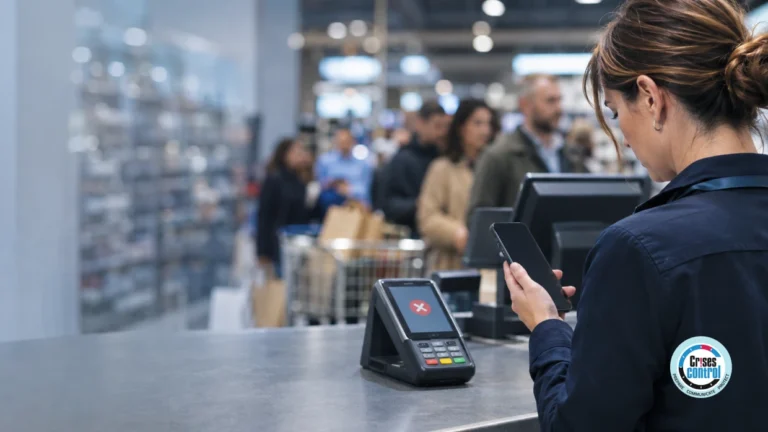
Alerting employees during an IT outage is the one part of incident response that assumes the infrastructure still works. An authentication service fails at 06:50. Within four minutes nobody can log in, which means nobody can read email, nobody can reach the chat tool, and the status page is behind the same single sign-on as everything else.
The incident channel exists. It is inside the thing that is down.
This is the ordinary shape of an IT outage, and it is why alerting employees during an IT outage is a separate problem from monitoring. Detection worked perfectly. What failed was the assumption that the people who needed to know could be reached through the systems the organisation runs.
Alerting Employees During An IT Outage
The best way to alert employees during an IT outage is on a channel that does not depend on the systems that are down, from a contact list that was synchronised before the outage began, to groups that already exist.
Three decisions have to be made in advance, because none of them can be made during the incident:
- Which channel is out of band, meaning it shares no dependency with the corporate estate
- Who can send, and who else can send when that person cannot log in either
- What the first message says, including what people should do rather than only what has broken
The test is simple and most organisations fail it: if single sign-on is down, can you still send?
Out-Of-Band: What You Use When The Primary Channels Are The Incident
Out-of-band alerting means a path to people that does not run through the infrastructure that has failed, and it is the whole of what alerting employees during an IT outage requires. It is the single thread connecting every question tech organisations ask about this, and it is rarely stated plainly.
Ensuring mass notifications are delivered during outages comes down to dependency mapping rather than channel count:
An alerting platform hosted inside the estate it is meant to alert about is not out of band. Neither is one that authenticates through the identity provider that is down. Ask where the alerting system runs and what it depends on to log in, and ask it before you need the answer.
That single question settles most of what alerting employees during an IT outage requires. Everything else is group hygiene and wording.
How Leading Companies Handle IT Alerting At Scale
Organisations that handle IT alerting at scale treat alerting employees during an IT outage as a standing capability rather than an incident task, and the pattern is consistent enough to be worth copying.
- Groups built from the on-call rota, not from a team list, so the alert reaches whoever is actually on duty rather than whoever is in the department
- A second administrator in another region, so nobody waits for one person to wake up
- Severity tiers that mean something, with a different channel for the tier that requires action in minutes
- A scalable alerting platform that is tested while nothing is wrong, because the only way to discover a stale contact list is to use it
Using alerting software to manage incidents at scale is less about the software than about whether those four exist before the first major outage. The platform makes them executable. It does not make the decisions.
Multi-Channel Notifications During Critical Incidents
Companies handle multi-channel notifications during critical incidents by sending one message across several independent routes at once and escalating automatically when a route goes unanswered, rather than by a person working down a list of tools.
The qualifier doing the work is independent. Four channels that all authenticate through the same identity provider are one channel wearing four hats, and an outage of that provider takes all four. In a critical incident the useful combination is usually one channel inside the estate for richness, and at least one outside it for certainty.
Top IT alerting software with multi-channel alerting across SMS, voice and push suits distributed engineering teams for the same reason: an engineer who is asleep, commuting or on a different continent is reachable by a different route than one at a desk. The mechanics of this, independent of IT, are covered in multi-channel crisis notification.
Automated Alerts During Global Incidents
Platforms that send automated alerts during global incidents connect a monitoring signal to a pre-built group and a pre-written message, so the first notification does not wait for somebody to notice and start typing.
Two cautions apply, and both come from experience rather than theory. Automation inherits the quality of its trigger, so a noisy monitoring rule produces alerts people learn to ignore, which is the problem set out in why employees ignore emergency alerts. And very few messages should go out with nobody looking: an automated page to an on-call engineer is reasonable, an automated all-staff message usually is not.
For deadline-driven status updates during a long incident, the integration question belongs with mass notification at scale for global organisations, which is where the register now places it.
Real Incidents Where Poor Communication Made It Worse
The pattern that recurs in published incident reviews is not slow detection. It is that the response was slowed by people not knowing what was happening, or knowing late.
Three failures show up repeatedly. The incident channel was inside the failure, so coordination started in a hastily created group chat on personal phones. Customer-facing teams learned about the outage from customers. And leadership asked for updates through individual messages to the people trying to fix it, which is the most expensive interruption available during an incident.
None of those is a monitoring failure. All three are communication failures with an operational cost, and all three are addressed before the incident rather than during it. The UK National Cyber Security Centre’s incident management guidance takes the same view: decide in advance who is told and how.
Coordinating Engineering, Support And Leadership
Three audiences need different things during a technical incident. Conflating them is what turns alerting employees during an IT outage into an interruption problem.
- Engineering needs the technical state and nothing else, on the channel they already work in
- Support and customer-facing teams need to know what to tell customers, and when the next update is due, which stops them asking
- Leadership needs impact, expected duration and what decision is being asked of them, on a schedule rather than on demand
The scheduled update is the mechanism that protects the engineers. An update every thirty minutes, sent whether or not there is news, costs less than ten individual requests for a status.
The First Message, And Why It Usually Says Too Little
Most first alerts during a technical incident say that something is wrong and nothing else. That produces exactly one outcome: everybody who received it asks somebody what is happening, and the people being asked are the ones trying to fix it.
A first message worth sending answers four things in two sentences. What is affected, in terms a non-engineer recognises rather than by service name. What people should do or not do right now. Whether customer-facing teams should say anything yet. And when the next update is coming.
The fourth is the one that saves the most time. An update promised in thirty minutes stops thirty separate people asking in the next thirty minutes, and it is the only part of the message that reliably reduces load on the response.
Write these as templates per severity tier, because alerting employees during an IT outage at 06:50 is not the moment to be choosing words. Three or four templates covering the scenarios that actually recur will handle most of what happens.
When The Outage Is Security Rather Than Availability
A security incident changes the alerting question in a way worth planning for separately. The channels may be compromised rather than merely unavailable, and what can safely be said is narrower. The United States National Institute of Standards and Technology frames this as preparation rather than reaction in SP 800-61, its incident response recommendations for cybersecurity risk management, which are built around reducing the impact of incidents before they happen.
Two differences matter. Internal chat and email may be exactly where an attacker is watching, so the coordination channel needs to be out of band for confidentiality and not only for availability. And the content has to be more careful: a message naming the system and the symptom tells everyone on the distribution list, which during a security incident is a larger group than intended.
The practical approach is a smaller initial group on a separate channel, with the wider staff message following once there is something useful and safe to say. The cyber-specific version of this is covered in the companion article on emergency notification planning for a cyber attack.
Who Gets Woken, And Who Does Not
Alerting employees during an IT outage goes wrong in two opposite directions, and both are expensive. Alert too few and the people who could have helped find out an hour late. Alert everyone and you have woken four hundred people who can do nothing, several of whom will now disable notifications permanently.
The distinction that works is between people who can act and people who need to know. Engineers on the relevant rota can act, so they are paged. Support leads need to know immediately because customers are already asking. Everyone else needs a status update at a predictable interval, not an alert.
Severity tiers only help if they change behaviour. A tier that produces the same message on the same channel to the same list as every other tier is a label, not a tier. Decide what each one actually does differently: which channel, which group, whether it escalates, and whether it wakes anybody.
The test is whether somebody woken at 03:00 could reasonably say the alert was worth it. If the honest answer is no more than once, the tiers are wrong, and alerting employees during an IT outage will quietly stop working because people have opted out of it.
Rota Data Is The Thing That Breaks
Nothing about alerting employees during an IT outage matters if the alert reaches the wrong person. In practice, rota accuracy fails more often than any technical component.
Three causes recur. The rota lives in a scheduling tool the alerting platform cannot read, so it is copied manually and goes stale within weeks. Handovers are informal, so the person listed finished their shift an hour ago. And contractors and recent joiners sit outside the directory the platform synchronises from, which means the newest engineers are the least reachable.
The fix is unglamorous. Feed the on-call group from the rota system directly where that is possible. Where it is not, reconcile on a schedule and count the differences rather than assuming they are small. Then test by paging the on-call engineer during a quiet period and seeing who actually answers.
An alerting platform cannot tell you that the person it reached was not on duty. Only a test can, and rota accuracy is the single assumption behind alerting employees during an IT outage that is never checked until it fails.
Where Crises Control Fits
Crises Control’s Ping module reaches people through SMS, voice calls, email, push notifications, Microsoft Teams and web alerts, and recipients acknowledge with one tap. For an IT outage the relevant point is that SMS and voice depend on the carrier networks rather than on the corporate estate.
Alerts can be targeted at a single site, a department or an on-call rota, which is the rota-based targeting described above. Automatic escalation continues until the right people respond, and every delivery, acknowledgement and response is recorded, creating a communication history that can be exported for audit.
The platform can be configured to work alongside IT monitoring and alerting platforms, and connects with Microsoft Entra ID, Google Workspace, Okta and any SCIM-compatible application for single sign-on and automated user provisioning, with secure imports by SFTP and CSV. Crises Control's IT incident response software page sets out the alert, notify, coordinate, restore and review lifecycle.
What it does not do is diagnose the outage or decide when to declare one. Those stay with the people running the incident.
Frequently Asked Questions
How do you alert staff when email and chat are down?
Through a channel that does not depend on the corporate estate, which in practice means SMS or a voice call to a personal mobile, sent from a platform that does not authenticate through the identity provider that has failed. The contact list has to have been synchronised before the outage, because it cannot be built during one.
Should alerting sit outside the main network?
Generally yes, and the test is dependency rather than location. Ask what the alerting platform needs in order to send: if it needs your single sign-on, your directory or your network, it shares the failure. A platform hosted externally with its own authentication survives an identity outage.
How are automated incident alerts triggered?
A monitoring signal crosses a threshold or an incident is opened, and the platform sends a pre-written message to a pre-built group. The quality of the alert depends entirely on the quality of the trigger. Automating a page to an on-call engineer is reasonable; automating an all-staff message usually is not.
Who should be alerted during an IT outage, and who should not?
People who can act are paged; people who need to know get a scheduled update. Engineers on the relevant rota and customer-facing leads fall into the first group. Everybody else belongs in the second, because alerting employees during an IT outage indiscriminately is the fastest way to teach people to switch notifications off.
Why does on-call alerting reach the wrong person so often?
Because the rota is usually copied into the alerting tool by hand rather than read from the scheduling system, so it goes stale within weeks. Informal handovers and contractors outside the directory make it worse. Feed the group from the rota system where possible, reconcile on a schedule otherwise, and test by paging whoever is on call during a quiet period.
This article was drafted with AI assistance and reviewed by the Crises Control team. Featured image: AI-generated.