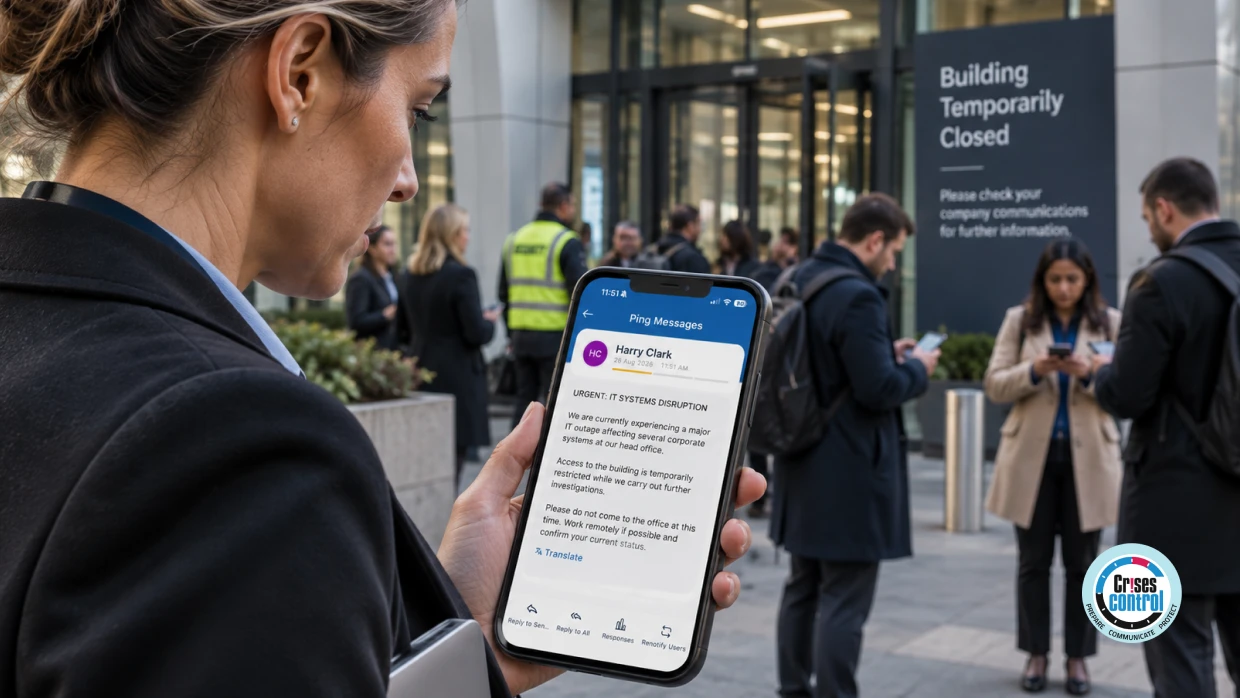
A major IT incident creates two problems at once. The first is technical: a system, application or service is unavailable. The second is operational: employees may not know what the disruption means for them.
Consider a logistics company whose warehouse management system suddenly goes offline. Dispatch teams cannot access current orders, inventory information cannot be trusted and delivery schedules begin to slip. IT is investigating while Operations considers manual processes and customer service prepares for questions.
Employees have more immediate concerns. Should they keep working? Should they stop processing orders? Is the site still operating? Should remote workers stay at home? When will the next update arrive?
This is where Employee Safety Software can support a wider response. Employees need clear instructions through an accessible channel, while response teams need visibility of who has received critical information.
During a major technology incident, employee communication is an operational control. What an organisation tells people can affect whether they continue working, switch to a workaround or stop using an affected system.
What Is Employee Safety Software?
Employee Safety Software helps organisations communicate with employees and support them during situations that may affect their safety, welfare or ability to work. Depending on the system, this can include emergency alerts, employee check-ins, targeted communications, acknowledgement and escalation.
The key is to treat employee communication as part of incident response, not as a separate broadcast. The process should connect the incident, employee action, acknowledgement and further updates.
When Does An IT Incident Become An Employee Communication Problem?
Not every IT issue requires an organisation-wide message. The requirement changes when disruption affects customers, payments, production, logistics, workplace access or remote working.
Employees may need to stop using an application, switch to a manual process, leave an affected site, work remotely or follow instructions from security or incident response teams.
The technical team may not have all the answers. A useful message separates confirmed facts from information still being investigated.
For example: “Our warehouse management system is currently unavailable. IT is investigating the issue. Do not process new dispatches through the affected system until further notice. Warehouse teams should follow their supervisor’s instructions. The next update will be issued at 14:30.”
The message tells people what happened, what to do and when to expect more information.
Employees Need Different Information From IT Teams
An IT Director may need technical detail about systems and backups. An employee usually needs a simpler answer: can I work, what should I avoid and who should I contact?
A Business Continuity Manager may need to assess continuity plans, while HR may need to know whether working arrangements must change. Communication should therefore be based on role and impact.
An outage affecting one distribution centre might require separate messages for warehouse staff, customer service, managers and remote employees. The warehouse team may need to stop processing orders, while customer service needs a clear customer message.
This is one reason employee communication should not simply repeat the technical status of an incident. The same event can require different instructions for different groups.
Build Communication Groups Before The Incident
Identifying recipients during an incident is harder than it sounds. Large organisations may have employees across offices, sites, home locations and time zones.
Predefined groups reduce that work. Groups can be organised by location, department, role or shift.
The principle is simple: communicate with the people affected by the incident rather than sending every message to everyone. A site closure message may need to reach employees at that site, while managers receive a separate update.
This also makes communication easier to manage when an incident develops. Instead of building a recipient list while people are waiting for instructions, the response team can start with groups that have already been defined and tested.
Acknowledgement Is Different From Delivery
A delivered message is not the same as a confirmed response.
Suppose an organisation tells employees at an affected site to stop using a particular system. The response team may need to know which managers have acknowledged the instruction and which groups still need follow-up.
Communication Status | Possible Response |
Delivered and acknowledged | Continue monitoring |
Delivered but not acknowledged | Try another channel |
Not delivered | Use an alternative contact route |
Manager acknowledged, team not confirmed | Ask the manager to confirm |
Employee requests assistance | Route to the appropriate response team |
Acknowledgement does not prove that an employee has completed an instruction. It gives the response team another useful signal.
For a Business Continuity Manager or Security Manager, this distinction can be useful when deciding whether another message, telephone call or management escalation is needed.
Keep Employees Informed As The Situation Changes
A major technology incident rarely has one communication event. Employees may receive an alert, an instruction, an interim update and a restoration message.
Each update should answer the question employees are most likely to have at that point. The initial alert explains what happened. The next message explains what employees should do. An interim update explains what changed. A recovery message explains when normal work can resume.
This matters because old instructions can become wrong as an incident develops. If a manual process becomes available, employees need to know. If a system has been restored but checks are still underway, they need to know that too.
Communication should therefore be treated as a continuing part of the response, not a single task completed when the first notification is sent.
Communication During Cyber Incidents Needs Extra Care
Cyber incidents create a particular communication challenge because information may be incomplete and some details may be sensitive.
Employees may need to disconnect devices, avoid particular systems, use an alternative channel or report suspicious activity. Those instructions should come from the organisation’s established cyber response process.
The National Cyber Security Centre’s guidance on disruptive cyber incidents advises organisations to prepare for disruption, establish responsibilities and coordinate their response.
Employee messages should support that process. They should tell people what action is required without speculating about the cause or sharing information that has not been confirmed.
Emergency Notification Software Needs More Than A First Alert
Emergency Notification Software is often associated with an urgent first message, but major technology incidents usually require communication to continue.
Employees may need warnings, instructions, acknowledgement requests, changes to working arrangements, site closure information and service restoration updates. The organisation also needs alternatives. If email is unavailable, it cannot be the only route for explaining the outage.
Email can carry detail. SMS can reach employees when corporate applications are unavailable, while voice calls or push notifications can support urgent contact.
The objective is to have enough options to reach the right people when the usual route is unavailable.
See Crises Control’s Emergency Communication Software article about what happens when email, Teams and Slack go offline for a practical example of how the loss of normal communication channels can complicate an incident response.
Plan Employee Communication Before The Incident
Creating messages from scratch during an incident puts pressure on the response team. Organisations can prepare plans for application outages, cyber incidents, network failures, site closures and loss of access to critical systems.
Templates should provide a starting point, not a script. They can include the affected service, recipient group, instruction, alternative process, contact route and next update time.
Testing should ask who approves the message, which employees receive it, what happens when someone does not acknowledge it and how communication continues if normal corporate systems are unavailable.
A useful exercise should also test the wording itself. Can an employee understand what they are expected to do without needing to ask a manager for clarification? If not, the problem is not only the communication system. The response process needs work as well.
A Practical Test For Technology Disruption
Before relying on your current process, ask whether employees can be reached through an alternative channel, whether instructions are tailored to affected groups, whether response teams can see acknowledgements and whether updates can continue when normal systems are unavailable.
These questions connect employee safety with communication, coordination and business continuity, while giving managers a practical way to test their arrangements.
How Crises Control Can Support Employee Communication
Crises Control can provide a communication layer within a wider incident response process. Its platform supports targeted communications, recipient groups, acknowledgement tracking, escalation and response plans.
An organisation can prepare groups before an incident, send relevant information to affected employees and track acknowledgements as the situation develops. Response teams can also access the platform remotely.
Crises Control’s Employee Safety Software connects employee SOS alerts with incident coordination through Incident Manager. For technology companies, this can provide an additional communication route when normal systems are affected.
For technology companies, employee safety software can provide an additional communication route when the systems employees normally rely on are affected by an outage or cyber incident.
The software does not decide what employees should be told. That remains a human decision. Its role is to structure communication and track responses.
Keeping Employees Informed Is Part Of Operational Resilience
The real test is not whether an organisation can send an emergency message. It is whether employees understand what it means for them, what action they need to take and when they can expect another update.
Employee communication should therefore be planned alongside incident response and business continuity, rather than added after the technical response has started.
Crises Control helps organisations connect targeted employee communication, emergency notification, acknowledgement tracking and incident coordination within a wider response process.
Frequently Asked Questions
What Is Employee Safety Software?
Employee Safety Software helps organisations communicate with employees during situations that may affect their safety, welfare or ability to work. Capabilities can include alerts, SOS assistance, targeted communication, acknowledgement and escalation.
Can Employee Safety Software Be Used During An IT Outage?
Yes. It can provide an alternative route for instructions, updates and employee responses when normal corporate systems are unavailable.
What Is The Difference Between Employee Safety Software And Mass Notification Software?
Mass Notification Software focuses on urgent group messages and delivery or acknowledgement. Employee Safety Software can cover wider needs, including SOS assistance, welfare checks and emergency escalation.
Why Is Employee Acknowledgement Useful During A Major Incident?
Acknowledgement shows who has confirmed a communication and where further contact may be needed. It does not prove that an instruction has been completed.
What Should Organisations Look For In Employee Safety Software?
Look for communication groups, multiple channels, acknowledgement tracking, escalation, digital response plans, remote access and incident management integration. Test the system under realistic disruption scenarios.
This article was drafted with AI assistance and reviewed by the Crises Control team. Featured image: AI-generated.