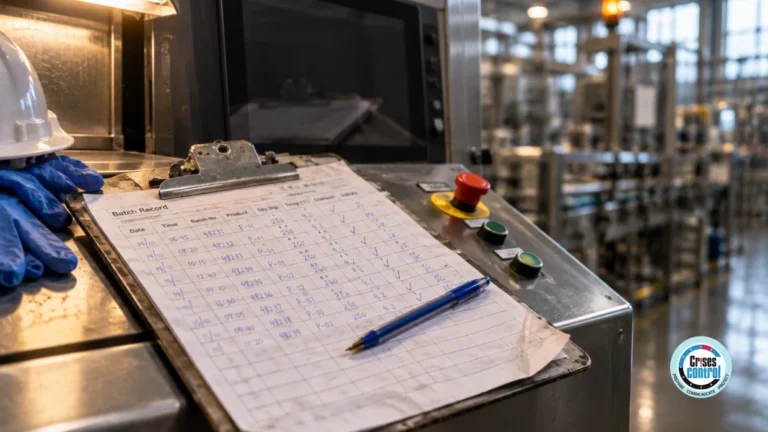
At 08:50 on a Wednesday, the registers at a 900-pupil secondary school are on paper, because the management information system (MIS) has been locked since 07:30. Forty-one pupils are absent with no reason given. Six of them have a social worker, and nobody in the office can say which families have been called.
Safeguarding tasks during a school systems outage stay on track only when each one has a named owner, a deadline and a status that someone else can see.
A systems outage changes how a school records its safeguarding work, and the duties stay the same. Registers, first-day absence calls, contact with social workers and medication checks still have to happen. Each one needs a named owner, a deadline and a visible status until the MIS is back.
What Are Safeguarding Tasks During A School Systems Outage?
Safeguarding tasks during a school systems outage are the checks and contacts a school keeps making while its management information system (MIS) is unavailable: taking the register twice a day, calling the parents of pupils who are absent without a reason, telling social workers about unexplained absence, giving medication and signing visitors in.
On a normal day the MIS does much of the remembering. It holds the register, flags the pupils with a social worker and lists the contact numbers. When it locks, the work is still there. What goes is the list of whose turn it is and what has been done.
Why Do Safeguarding Duties Not Pause When The MIS Is Down?
Safeguarding duties come from statutory guidance, and they sit with the school whether or not its systems work. Keeping Children Safe in Education 2026 treats absence as a possible warning sign, and the attendance guidance for England expects schools to contact parents on the first day of an unexplained absence. An outage removes the tool and leaves the duty.
Keeping Children Safe in Education 2026, in force from 1 September 2026, says children being absent from school, particularly repeatedly or for prolonged periods, can be a warning sign of a range of safeguarding possibilities.
The statutory guidance Working together to improve school attendance, in its July 2026 edition, says schools should have processes to contact parents on the first day of absence where no reason has been given. If the absence continues without explanation, the school should make further contact as a safeguarding step. Schools are also expected to tell a pupil's social worker about unexplained absences.
Are School Downtime Procedures For Safeguarding Enough On Paper?
Paper downtime procedures keep the school running, but they don't show whether the safeguarding work was done. A paper register records who is absent. It doesn't record who phoned which family, at what time, or what was said, and nobody can tell from a clipboard in the office which calls are still outstanding.
The usual assumption is that paper covers it. Paper covers the recording. For safeguarding tasks during a school systems outage, the gap is the follow-up, because a list of names on a clipboard has no owner and no clock.
As at October 2026, the guidance cited here applies to schools in England, and the Department for Education (DfE) emergency planning guidance says schools that remain open must continue to record absence in the attendance register. Schools elsewhere should check their own national guidance. This article is orientation, not legal advice.
The table compares five safeguarding tasks as a paper procedure and as an owned, tracked task.
Nothing in the right-hand column needs special technology. It needs a decision about who, by when, and how anyone else would know.
How Do You Turn Downtime Procedures Into Owned Tasks?
Turn each line of the downtime procedure into a task with four parts: what has to be done, who owns it, when it is due, and who is told if it slips. Write the tasks before any outage, attach them to the school's incident plan, and make the designated safeguarding lead (DSL) the owner of the list.
A list of safeguarding tasks during a school systems outage fits on one page. Three rules keep it usable.
Give Every Task One Owner And A Deputy
A task assigned to "the office" belongs to nobody. Name the role, and name the deputy for the day the owner is off. The DfE's checklist for getting a cyber response plan ready says to appoint deputies for all roles.
Set A Deadline And An Escalation
First-day calls have a natural deadline, such as 10:00. If the Year 9 calls aren't marked done by then, the DSL should hear about it without having to ask.
Keep Pupil Names Out Of The Task Title
A task list is seen by more people than a child protection file. "Call the six families on the DSL's priority list" is enough. The names stay on the printed list in the safeguarding office.
What Does Tracking Actions During A School IT Outage Look Like Hour By Hour?
Tracking actions during a school IT outage means each safeguarding task is assigned within minutes of the outage being declared, accepted by a named person and marked complete with a time. Whoever leads the response can then see what is done, what is late and who holds it, without walking the corridors.
Take the school from the opening scene, this time with its safeguarding tasks during a school systems outage written in advance.
- 07:45. The headteacher declares the outage and the downtime tasks are assigned.
- 08:40. Paper registers go to form tutors. The task closes when every register is back in the office.
- 09:15. Heads of year start first-day calls from the printed contact list, and each marks their year group done.
- 09:30. The DSL contacts the social workers of the six pupils who are absent without a reason.
- 10:00. The Year 9 calls aren't marked done. The task escalates to the deputy headteacher, who finds the head of year covering a lesson and reassigns it.
- 12:30. The medical room confirms the lunchtime medication round against the paper log.
- 15:30. The DSL reviews the list: what is closed, and what carries over to tomorrow.
That list, with its times, is the evidence. Keeping Children Safe in Education says all concerns, discussions and decisions made, and the reasons for those decisions, should be recorded in writing.
How Does Crises Control Keep Safeguarding Actions On Track?
Crises Control turns the school's downtime procedure into assigned tasks inside a cloud platform that doesn't run on the school's servers. Task Manager, its Incident Task Management Software, gives each task an owner, a deadline and a status, and escalates the ones that aren't accepted or completed in time.
Tasks are assigned when the response plan is activated, using the roles the school set up in advance. Each owner accepts the task and updates its status from any device, so a head of year can mark the Year 9 calls done from a phone. If a task isn't accepted or completed within the configured time, escalation rules run in stages, for example notifying a supervisor and then reassigning the task.
Task Manager records who owned each task, when it was accepted, each status change, every escalation and the completion time. The Compliance Management Software page describes how that record supports governance, audit and compliance review afterwards.
The platform tracks the action and doesn't hold the content. It isn't the attendance register, which statutory guidance says must be kept electronically, so the paper entries still have to be added once the MIS returns. It isn't the child protection file either. Safeguarding tasks during a school systems outage still depend on the DSL's judgement, and the school still has to write the task list and keep the printed contacts current.
The school emergency management page shows how task management sits beside alerts and incident coordination for schools and trusts.
Safeguarding Outage Checklist
This checklist covers the safeguarding tasks during a school systems outage that a school should be able to evidence afterwards.
- Every safeguarding task in the downtime procedure has a named owner and a deputy.
- Paper registers are ready for every form group, with an agreed route back to the office.
- A printed contact list, with more than one number per pupil where possible, is locked in the office and refreshed on a set schedule.
- First-day absence calls have a deadline, and someone is told when it passes.
- The DSL has a printed priority list of pupils with a social worker, and those calls go first.
- Medication and visitor sign-in each have an owner for the day.
- Each task is marked complete with a time, by the person who did it.
- One person owns re-entering the paper registers once the MIS is back.
The Calls Still Have To Be Made
Go back to 08:50. Forty-one pupils are absent and the office has a clipboard. The school with a task list knows by 10:00 that five year groups are done and one is late, and somebody is already dealing with the late one.
The MIS will be restored and the registers will be keyed in. A call that should have been made on Wednesday morning can't be made on Friday.
Most of this is preparation a DSL and a school business manager can do in an afternoon: list the tasks, name the owners, print the contacts. Then run it once with the MIS treated as unavailable, and see which safeguarding tasks during a school systems outage nobody picked up.
For the next step, read how schools reach parents when the MIS and email are down, how other organisations approach tracking critical actions during an incident, or what Task Manager does with an overdue task.
Frequently Asked Questions
What are safeguarding tasks during a school systems outage?
Safeguarding tasks during a school systems outage are the duties that continue while the management information system (MIS) is unavailable. They include taking registers, making first-day absence calls, telling social workers about unexplained absence, giving medication and signing visitors in. Each one needs a named owner and a deadline, because the system that normally prompts them is offline.
Does a school still have to make first-day absence calls when the MIS is down?
Yes. As at October 2026, statutory attendance guidance for England says schools should have processes to contact parents on the first day of absence where a reason has not been provided. The Department for Education (DfE) emergency planning guidance also says schools that remain open must continue to record absence in the attendance register. Schools in other countries should check their own guidance.
What is the difference between a downtime procedure and a tracked task?
A downtime procedure says what should happen when a system is unavailable, and a tracked task shows whether it did. A tracked task has one owner, a deadline, a status and a completion time. A school needs the procedure to know what to do and the tracked tasks to know it was done.
What is incident task management software?
Incident task management software turns a response plan into individually assigned tasks with owners, deadlines and statuses. It escalates a task that is not accepted or completed in time, and it records who did what and when. Crises Control's Task Manager does this as an extension of Incident Manager.
How can a school show what was done for safeguarding during an outage?
A school shows what was done by keeping a timed record of each task: who owned it, when it was completed and what was decided. Keeping Children Safe in Education 2026 says all concerns, discussions and decisions made, and the reasons for those decisions, should be recorded in writing. Compliance management software can hold the task record, while the child protection file stays in the school's safeguarding system.
This article was drafted with AI assistance and reviewed by the Crises Control team. Featured image: AI-generated.