Written by Anneri Fourie |Crises Control Executive
Imagine a large music festival where the ticketing system crashes just as attendees are arriving, or a sports event where live streaming fails mid-game. Staff are scrambling, security teams are unsure how to respond, and attendees are frustrated and confused. Situations like these can escalate quickly, leading to financial loss, reputational damage, and even safety risks.
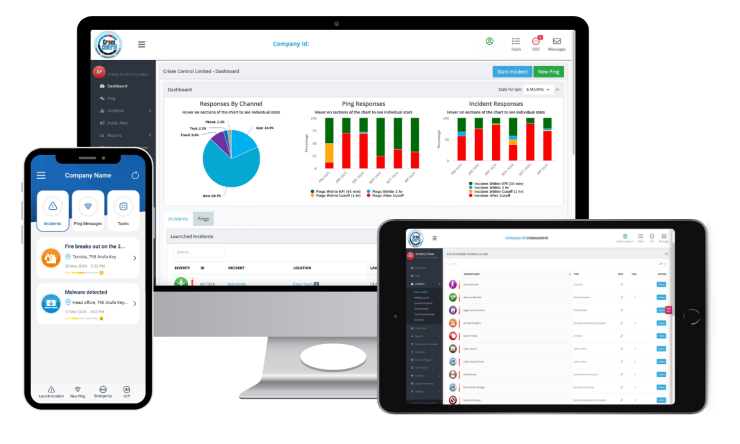
Crisis Management Software gives organisations the tools to anticipate disruptions, coordinate teams efficiently, and communicate clearly with everyone involved. By centralising incident tracking, alerts, and workflows, the software helps the right people take the right actions at the right time. The goal is to resolve incidents quickly while keeping staff, attendees, and operations safe.
Why Crisis Management in Event Planning Can Be Complex
Running an event is like conducting an orchestra: every system, team, and service must work in sync. Ticketing platforms, live streaming, security operations, and catering all need to perform reliably, and a failure in one area can ripple across the entire event.
Large events often involve multiple locations, from stages at a festival to VIP areas in a stadium or betting terminals across venues. Coordinating teams across these sites can be challenging, especially when staff are under pressure. Messages must reach the right people quickly, and instructions need to be clear to prevent mistakes.
Compliance adds another layer of complexity. Regulations like GDPR, DORA, and local occupational safety laws require thorough documentation of incident responses and secure handling of sensitive data. Without a structured system, meeting these requirements while managing an active disruption is almost impossible.
Human factors also play a role. Even experienced staff can miss a message, follow outdated procedures, or make decisions that unintentionally worsen the situation. Manual processes such as spreadsheets, email chains, or phone trees are not fast or reliable enough for high-pressure events.
Common Misconceptions About Event Crisis Management
Organisations often make assumptions that can backfire during a real incident:
- One-size-fits-all alerts work: Generic messages sent to everyone can create confusion. Staff, security teams, and attendees each need information tailored to their role.
- Manual escalation is sufficient: Human-dependent workflows are slow and error-prone under stress. Delays in notifying critical teams can turn manageable issues into major disruptions.
- Compliance can wait: Failing to log actions and communications during an incident can result in fines and reputational damage, particularly in regulated industries.
Automated, centralised platforms address these challenges. Alerts reach the right people immediately, actions are recorded automatically, and compliance reporting becomes part of the workflow instead of an extra task.
How Mass Notifications Can Keep Events on Track
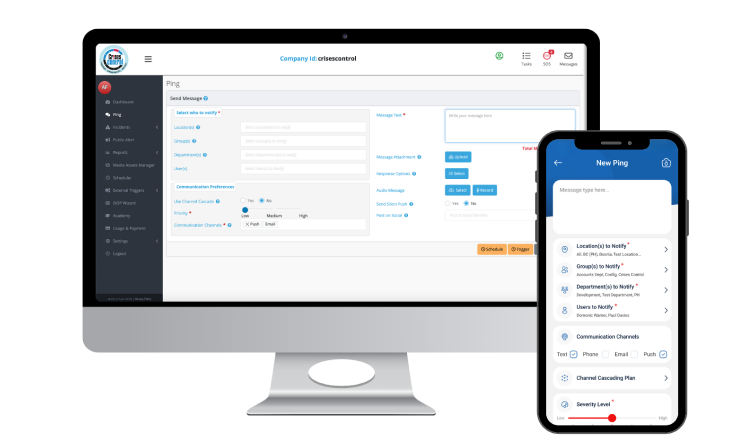
When a disruption occurs, communication is the first priority. Mass Notification Software ensures alerts reach staff, security teams, and attendees quickly and accurately.
For example, if a ticketing system fails, the platform can:
- Notify IT teams immediately so the issue is investigated without delay
- Send instructions to front-of-house staff to guide attendees
- Update attendees via mobile apps or digital screens, reassuring them that the issue is being managed
Messages can be sent through multiple channels at the same time, including SMS, email, in-app notifications, and direct alerts to attendees, ensuring everyone receives timely, actionable information. This reduces the risk of missed messages and allows teams to act in a coordinated way rather than reacting in isolation.
Interested in our Ping Mass Notification Software?
Efficiently alert everyone in seconds at scale with our Mass Notification Software.
Coordinating Multi-Site Operations with an Incident Management Platform
Large events often span multiple locations. An Incident Management Platform centralises decision-making so every team works in sync.
For instance, if a power outage affects one stage at a festival, organisers can:
- See which areas are impacted and which staff are available
- Direct resources where they are needed most
- Track resolution progress in real time
Role-based access ensures each team member sees only the tasks relevant to their role, reducing confusion and duplication of effort. Every action, message, and decision is recorded automatically, creating an audit trail that supports regulatory compliance and post-event reviews.
Protecting People with Public Alerting Software
Keeping staff and attendees safe is the top priority during any disruption. Public Alerting Software complements internal communication by sending clear, actionable instructions directly to those affected.
For example, during a security incident or evacuation:
- Staff receive real-time alerts on mobile devices
- Attendees are notified directly via SMS with clear instructions
- On-site security teams coordinate their response efficiently
Integrating public alerting with Crisis Management Software ensures safety measures are embedded in operational workflows, rather than added as an afterthought.
Interested in our Incident Management Software?
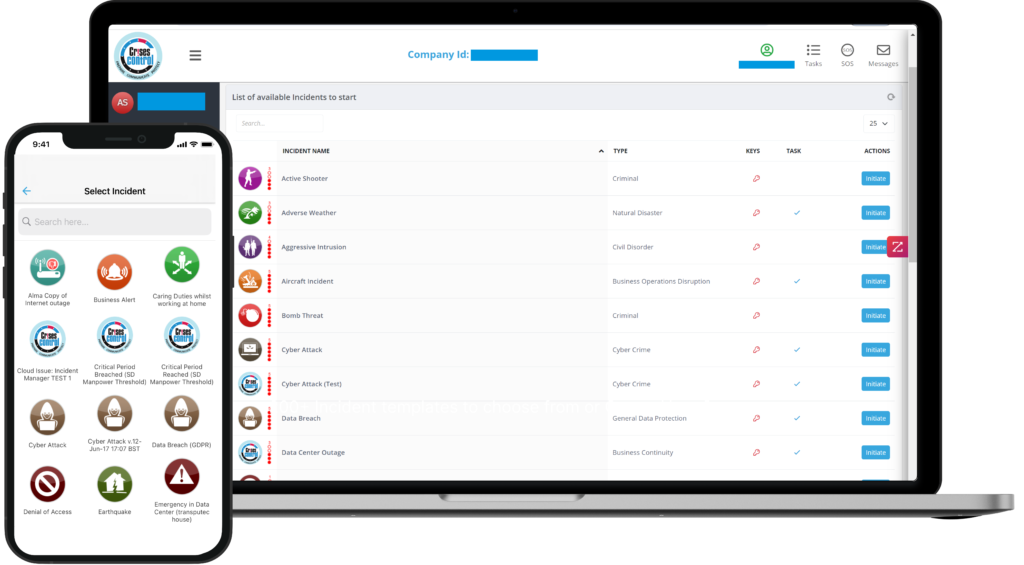
Flexible Incident Management Software to keep you connected and in control.
Testing and Preparing for the Unexpected
Even the best software cannot replace preparation. Organisations need to practise scenarios to ensure staff can act quickly and workflows function as intended.
Effective preparation can include:
- Role-specific exercises: Teams respond to service outages, cyber incidents, or multi-site disruptions
- Ping tests: Sending test alerts across all channels to validate delivery and response times
- Scenario planning: Rehearsing unusual events to refine workflows before a real crisis occurs
Regular exercises uncover weaknesses, build confidence, and ensure teams understand their responsibilities. Workflows are validated, and organisations are better equipped to handle unexpected events.
Integrating Digital Solutions into Everyday Operations
Switching from manual methods to digital platforms requires attention to practical realities. Automation speeds up responses but must be carefully configured to avoid overwhelming staff with too many alerts. Legacy systems may require phased integration, and cloud-based access ensures teams can continue operations even if local networks fail, providing uninterrupted visibility and control.
Human factors remain crucial. Staff must trust automated alerts and understand how to act on them. When these elements are in place, organisations resolve incidents faster, reduce downtime, and maintain compliance more easily.
Navigating Regulations and Compliance
Entertainment providers operate under diverse regulations depending on location. Software platforms can help organisations meet these obligations automatically.
Examples by region:
- UK: GDPR and Health & Safety laws require secure communication and detailed incident logging
- EU: GDPR and NIS2 rules demand centralised incident management and secure messaging
- Middle East: Local data protection and occupational safety laws, often requiring multi-language notifications
- USA: FCC and HIPAA regulations; SEC/SOX reporting for publicly listed operators
- Canada: PIPEDA and provincial privacy standards
By centralising communication, recording actions, and producing automated reports, teams can focus on resolving incidents while remaining compliant.
Digital Tools Versus Manual Processes
| Manual Approaches | Digital Platforms |
| Spreadsheets, emails, and phone trees | Integrated crisis management, mass notifications, and public alerting |
| Slow and prone to mistakes | Faster, auditable responses |
| Confusing task allocation | Clear assignment of tasks by role |
| Limited visibility across locations | Full visibility across multiple sites |
| No automatic record-keeping | Accurate, regulatory-ready records |
While digital platforms require setup and staff training, the benefits include fewer errors, faster resolution, and improved safety for both staff and attendees.
Implementing a Practical Crisis Management Framework
Organisations can manage disruptions effectively by following a clear framework:
- Identify critical systems and roles, such as ticketing, live streaming, security, and IT
- Map incident types to role-specific alerts and actions
- Integrate mass notifications to automate communication with staff, attendees, and clients
- Test workflows through drills and Ping exercises
- Review each incident to learn and improve procedures over time
Following this framework allows teams to move from reactive responses to proactive management, ensuring confidence in handling incidents efficiently and safely.
Key Takeaways
- Events are complex, and even small disruptions can have wide-reaching effects
- Manual processes cannot keep up with modern operations
- Centralised digital platforms reduce risk, improve communication, and support compliance
- Mass notifications and public alerting protect staff and attendees
- Regular testing ensures teams are prepared and workflows function correctly
Crisis Management Software is more than a tool; it is a framework for operational resilience, helping organisations manage disruptions confidently while protecting people and business operations.
Request a FREE Demo