
Written by Dr Shalen Sehgal | Crises Control
Most crisis management software is designed for an office. Oil and gas does not operate in an office.
It operates on an offshore platform 150 miles from the nearest coast. On a pipeline route crossing three jurisdictions. At a refinery running 24 hours a day, seven days a week, where the shift changing at midnight may be the one that walks into an active incident.
When you are evaluating crisis management software for oil and gas operations, the standard checklist does not apply. The questions that matter are different. And the wrong choice is not just a procurement mistake — it is a liability that shows up the moment pressure is real and the system cannot keep up.
This guide cuts through the noise. It tells you what actually matters, what to test before you sign, and where most software falls short in this specific environment.
The right crisis management software for oil and gas is not the one with the best demo. It is the one that still works when the satellite link is patchy, the shift has just changed, and nobody has time to look up a manual.
Why Generic Crisis Management Software Fails in Oil and Gas
There is no shortage of crisis management platforms. Most of them are competent. Most of them were built for organisations where teams sit at desks, connectivity is reliable, and an incident affects one location at a time.
Oil and gas is the opposite of that on every dimension.
Your teams are remote. Your workforce rotates. Your incidents cascade Your workforce includes contractors, third-party specialists, and rotating shift crews who may have no familiarity with a new system under pressure. Your incidents cascade: a gas leak does not stay contained to one area, a pipeline rupture affects multiple jurisdictions simultaneously, and what starts as a process fault at 2am becomes a multi-agency coordination challenge by 3am.
Generic software breaks at exactly these points. If your crisis response depends on stable connectivity, perfect data, or the right person being available, it is not a response system. It is a point of failure. And because it fails in the first minutes of a real incident, when pressure is highest and the window for action is smallest, the consequences are not minor. They are serious.
Understanding where generic platforms fail is the first step toward choosing one that does not. Read more about the specific failure patterns in oil and gas emergency response and why the first 10 minutes determine everything.
Features of Crisis Management Software for Oil and Gas That Actually Matter
Not every feature in a product brochure matters in a gas plant at 3am. These seven do.
- Multi-channelmass notification that works without a desk
When an incident starts on an offshore platform, nobody is at their workstation. Your crisis management software needs to reach people on mobile, via SMS, voice call, push notification, and email, simultaneously, not sequentially.
The SMS channel matters more than most vendors acknowledge. Push notifications fail when apps are not updated or phones are on battery saver. Email is useless if someone is in a confined space wearing PPE. SMS reaches almost any device on almost any network, including roaming, which is often the only connectivity available on remote sites.
Test this specifically: can your mass notification system reach a worker on a satellite phone? On a device roaming on a foreign network? On a basic feature phone? If the answer to any of those is no, the platform has a gap that will appear at the worst possible moment.
- Offline functionality and automatic sync
This is non-negotiable for upstream and offshore operations. A platform that requires a live internet connection to log an incident, assign a task, or send an update is not built for environments where connectivity drops without warning.
What to look for: offline data capture on mobile devices, automatic synchronisation when connectivity returns, and no loss of data during the offline period. Some platforms claim offline capability but only support read access, not write. That distinction matters when a field supervisor needs to log an incident on a rig with a satellite connection that drops every few minutes.
- Automated workflow activation, not manual triggers
The most dangerous moment in any oil and gas incident is the first few minutes, when the right people need to be mobilised before anyone has time to think through a process. If your crisis management software requires a trained administrator to navigate to the right screen and manually trigger the response workflow, those minutes are already lost.
Effective incident response automation means the workflow fires the moment an incident is logged. Alerts go out. Tasks are assigned to the right roles. Escalation paths activate. The incident commander sees a live dashboard without making a single phone call. The system does the coordination so the people can focus on the response.
- Role-based task assignment, not individual-dependent
Shift patterns in oil and gas mean that the person named in your emergency response plan may not be the person available when an incident occurs. If your platform assigns tasks to named individuals rather than roles, your response is dependent on contact data being perfectly current at every moment.
It rarely is.
Role-based assignment means the task goes to whoever holds that role on the current shift. No manual checking. No phone calls to find out who is on. No gaps when someone is on leave or has just handed over.
- Geo-targeted alerts for multi-site operations
A gas leak at Site A should not generate full-alert notifications for teams at Sites B, C, and D. Alert fatigue is real, and it is dangerous. When people receive too many notifications that do not apply to them, they stop treating alerts as urgent.
Geo-targeting solves this by sending alerts only to the teams in the affected location. Refineries, pipelines, and multi-site operations need this as standard, not as a premium add-on. Confirm during evaluation that geo-targeting works at the level of granularity your operations require: by zone, by building, by platform, not just by city.
- Automatic audit trail from the first alert
After any serious oil and gas incident, the regulator will want a timeline. OSHA, the HSE, the EPA, the relevant pipeline authority, all of them will ask: what happened, who was notified, what actions were taken, and in what sequence?
If that record has to be reconstructed from memory, email threads, and WhatsApp messages, the answer you give will be incomplete and potentially inconsistent. A platform that logs every alert, task, and acknowledgement automatically with timestamps creates that record as a natural byproduct of the response itself. No one has to document anything. The documentation happens while the team is responding.
- Infrastructure independence
The platform that coordinates your crisis response cannot depend on the same infrastructure that the crisis may have compromised.
If your crisis management software relies on your corporate network, and that network goes down in a cyberattack or a physical event that takes out your data centre, the software goes with it. The platform needs to run on its own cloud infrastructure, with redundancy across multiple regions, so that it remains operational regardless of what is happening to your operational systems.
For offshore and remote operations specifically, this means data centre coverage that includes the regions you operate in, not just the regions where your headquarters is located.
Questions to Ask Before You Sign
Most software demos are designed to show the product at its best. The questions below are designed to reveal it at its worst, which is when it matters.
- What happens when a user activates the platform on a device with no internet connection? Can they log the incident, assign tasks, and send alerts? Or do they need connectivity first?
- How does the platform handle shift handovers? If a task was assigned to a role and the person in that role changes, does the new person see it immediately?
- Can the platform reach a satellite phone? A basic mobile on a foreign roaming network? A device with no app installed?
- If the alert goes out and the primary contact does not acknowledge within two minutes, what happens automatically? Does it escalate? To whom? How is that escalation path configured?
- Show me the audit trail from a real incident. How do I access it? How long does it take to generate? Can it be exported in a format that works for a regulator?
- What is your uptime guarantee during a regional infrastructure incident? Where are your data centres? If one goes down, what is the failover time?
- How long does initial configuration take for a new site? What does the implementation process look like for a platform with 40 field workers, no dedicated IT team, and intermittent connectivity?
- What compliance frameworks does the platform support out of the box: OSHA PSM, API standards, ISO 45001, COMAH, regional regulatory requirements?
If a vendor cannot answer all of these questions clearly and specifically, that is your answer.
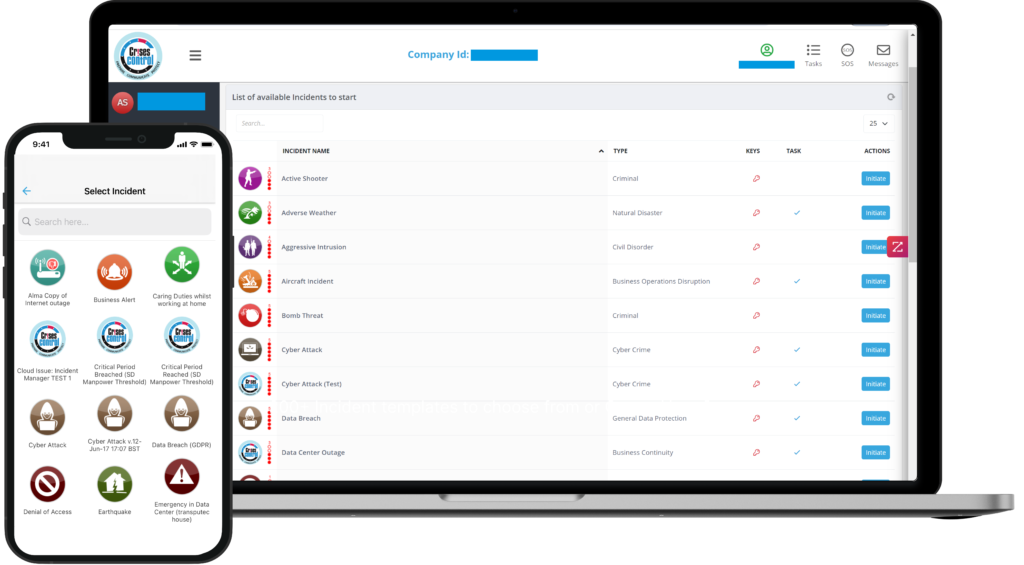
Interested in our Incident Management Software?
Flexible Incident Management Software to keep you connected and in control.
The Mistake Most Oil and Gas Buyers Make
They evaluate the software in ideal conditions.
The demo runs on a stable connection in a meeting room. The vendor’s account manager is guiding every step. The scenarios are pre-configured. Nothing goes wrong.
Real incidents do not work that way. Ask the vendor to demonstrate the platform under the conditions your teams actually face: poor connectivity, a new user who has never logged in before, an incident that crosses two sites simultaneously, a shift changeover mid-response.
The second mistake is buying on features and forgetting usability under pressure. A platform with every feature on the checklist is useless if a field supervisor at 3am cannot activate it without training. The interface needs to be operable by someone who is stressed, may have been woken up, and has other things to focus on.
The third mistake is treating implementation as an afterthought. The best crisis management software in the world delivers nothing if it is not embedded in your operation before the incident. Contact data needs to be current. Workflows need to be configured for your sites. Roles need to be assigned. All of that needs to happen before you need it.
The gap between buying crisis management software and being crisis-ready is where most organisations underinvest. The software purchase is not the finish line. It is the starting point.
How Crises Control Is Built for Oil and Gas
Crises Control is used by oil and gas operators, including offshore platforms, onshore refineries, and pipeline operators, to manage exactly the operational conditions described in this article. Not as an adaptation of a generic platform. As a system designed for distributed, high-risk, connectivity-constrained operations.
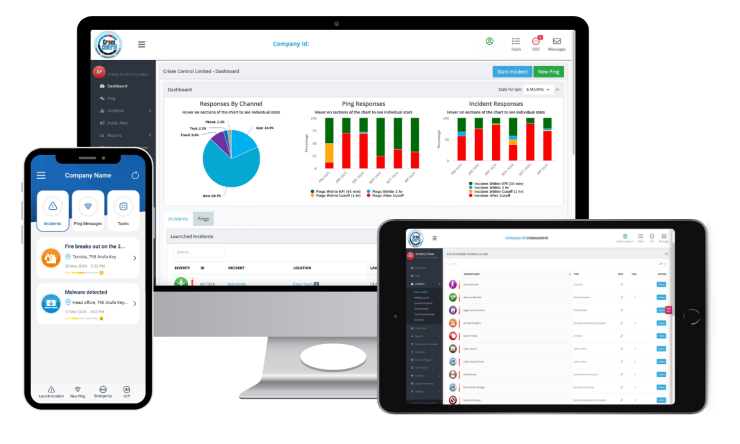
The platform reaches workers across SMS, push notification, voice call, email, and Microsoft Teams simultaneously, so that every channel relevant to a particular environment is covered without any manual selection. Alerts are geo-targeted at the site level, reducing alert fatigue across multi-site operations.
When an incident is logged, predefined response workflows activate immediately. Tasks go to roles, not individuals, so shift changes do not create gaps. Two-way communication opens so that field workers can confirm their status, report their location, or flag that they need support. The emergency communication system operates on its own cloud infrastructure with data centre coverage across the UK, Europe, North America, and the Middle East, including local hosting in Saudi Arabia, making it operationally independent of the systems that an incident may affect.
Every alert sent, every task assigned, every acknowledgement received, every escalation made is logged automatically with a timestamp. The audit trail exists by the time the incident closes, without anyone having had to create it.
For operations subject to OSHA Process Safety Management requirements, API standards, or regional regulatory frameworks, that documentation is evidence of compliance, not an additional administrative burden. User reviews on the Crises Control Capterra listing from energy sector operators consistently highlight speed of deployment, notification reliability across channels, and the quality of account management as the factors that make the difference in real operational conditions.
Implementation is designed to be fast. Most organisations are operational within days, not months. There is no specialist IT team required, and no extended configuration process that creates a window where the platform is purchased but not actually usable.
What the Right Crisis Management Software Actually Gives You
It gives you something most oil and gas operators do not currently have: certainty that when an incident starts, the response structure will hold.
Not because you have written a better plan. Not because your teams are better trained. Both of those things matter, and neither of them are enough without the infrastructure that translates preparation into coordinated action under real conditions.
The right platform gives your incident commander a live picture of the situation without making phone calls. It gives your field workers a clear task with clear ownership without waiting for someone to brief them. It gives your regulators a complete documented timeline without a week of reconstruction. And it gives your leadership team confidence that the response, whatever happened, was structured, accountable, and capable of being defended.
That confidence is not built in the evaluation room. It is built through tested, operational response infrastructure that your teams use before they need it, in drills, in smaller incidents, in handover processes, so that when the serious event arrives, the system is already part of how they work.
The Takeaway
Oil and gas does not need generic crisis management software. It needs software that was built for what the industry actually faces: remote locations, satellite connectivity, rotating shifts, multi-agency coordination, and regulatory scrutiny that follows every significant incident.
The features that matter are not the longest feature list. They are the features that work under the specific conditions of your operation. Multi-channel notification that reaches a field worker on a basic mobile with a satellite SIM. Offline capability that captures the incident even when the connection drops. Automated workflows that do not depend on the right person being available to initiate them. Role-based task assignment that survives a shift handover. And an audit trail that builds itself.
Ask the hard questions before you sign. Demand a demonstration that reflects your actual operational conditions, not an ideal scenario. And treat implementation as the beginning of readiness, not the end of the procurement process.
The right crisis management software for oil and gas is the one that works when everything else is not. Start by exploring how Crises Control supports oil and gas operations and what that looks like in practice for organisations like yours.
See how your current response would perform under real conditions and where it would break. We will walk you through the platform against your specific sites, shift patterns, and incident types. Book a free personalised demo.
FAQs
1. What is crisis management software?
Crisis management software is a platform that helps organisations prepare for, respond to, and recover from critical incidents. It centralises communication, automates response workflows, assigns tasks to the right teams, and creates a documented audit trail of every action taken. For oil and gas operators, it is the infrastructure that translates an emergency response plan into coordinated action under real pressure, across multiple sites and teams simultaneously.
2.What are the most important features of crisis management software for oil and gas?
The seven features that matter most in an oil and gas environment are: multi-channel mass notification that works without a desk, offline functionality with automatic sync, automated workflow activation, role-based task assignment that survives shift changes, geo-targeted alerts for multi-site operations, an automatic audit trail from the first alert, and infrastructure independence from corporate systems that may be affected by the incident. More detail on each of these is covered in the features section above.
3. How is crisis management software different from EHS software in oil and gas?
EHS software manages ongoing safety processes: inspections, risk assessments, permit-to-work systems, and compliance tracking. Crisis management software manages active incidents: the moment something goes wrong, who gets notified, what actions are taken, and in what order. The two categories overlap but serve different purposes. An organisation can have excellent EHS software and still be completely unprepared for the coordination demands of a real incident. Crisis management software is the response layer that activates when prevention has already failed.
4.What compliance frameworks should crisis management software support for oil and gas?
The minimum for most operators includes OSHA Process Safety Management (29 CFR 1910.119), API Recommended Practices relevant to your asset class, and ISO 45001 for occupational health and safety management. Offshore operators typically also need to demonstrate compliance with regional maritime and environmental frameworks. If you operate across multiple jurisdictions, confirm that the platform can maintain separate compliance documentation requirements for each, and that the audit trail it generates is exportable in formats that match what each regulator expects.
5.How long does it take to implement crisis management software for an oil and gas operation?
Implementation timelines vary significantly between platforms. Enterprise EHS platforms can take six to twelve months to configure and deploy across a multi-site operation. Purpose-built crisis management platforms, like Crises Control, are designed for faster deployment and can have most organisations operational within days to weeks, without requiring a dedicated IT project. The key factors are how much custom configuration your operation requires, how quickly contact data and role assignments can be loaded, and whether the vendor provides hands-on implementation support rather than documentation alone.