Written by Anneri Fourie | Crises Control Executive
Design agencies face unique challenges when it comes to managing emergencies. Teams are often spread across studios, offices, and remote locations. Projects are tightly scheduled, client deadlines are fixed, and any disruption can affect both delivery and reputation. A simple IT outage, building issue, or safety incident can ripple across multiple teams before anyone is aware of it.
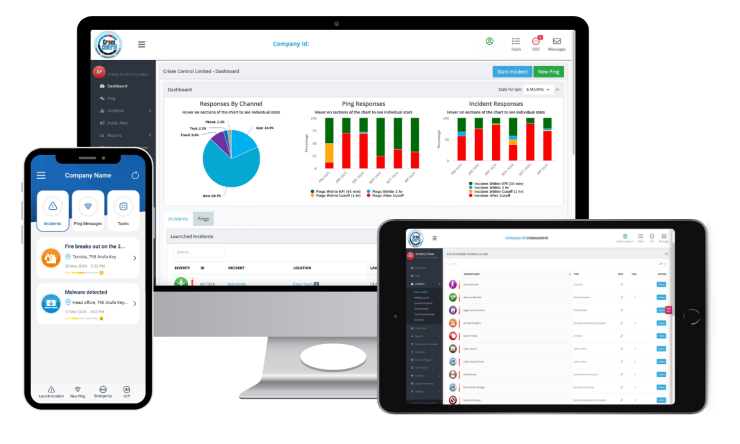
An AI emergency assistant offers a way to manage these incidents more efficiently. By automating alerts, suggesting the next steps, and tracking responses, it helps creative teams react quickly and keep operations running smoothly. Crises Control provides cloud-based tools that help teams implement these capabilities effectively.
What is an AI Emergency Assistant?
An AI emergency assistant is software designed to help organisations respond to incidents faster and more reliably. Unlike traditional manual procedures, it analyses the situation and recommends actions for specific staff members based on their role, location, and responsibilities.
Key functions include:
- Automated notifications: Alerts staff instantly through SMS, email, voice calls, or mobile apps.
- Escalation triggers: Notifies senior team members automatically if initial alerts go unacknowledged.
- Confirmation tracking: Monitors which staff have received and responded to messages, giving managers real-time visibility.
For creative teams, which may operate across multiple locations and time zones, these capabilities ensure everyone knows what to do and can act immediately.
Why Creative Teams Struggle with Crisis Management
Design agencies face operational challenges that make traditional emergency management difficult.
Distributed and Remote Teams
Designers often work from multiple offices, client sites, or home studios. Traditional email chains or phone trees are slow and prone to being missed.
Problem: A delay in communication can stall a project, affect deadlines, and reduce client trust.
Solution: Cloud-based mass notification software delivers instant alerts to all relevant staff, keeping everyone informed without relying on manual communication.
Slow Response to Emergencies
Manual approaches such as calling team leads or posting messages in chat groups take time.
Problem: Even minor incidents can escalate if teams are not notified promptly.
Solution: AI crisis management tools automate alerts, prioritise responses, and suggest next steps for staff, reducing delays and confusion.
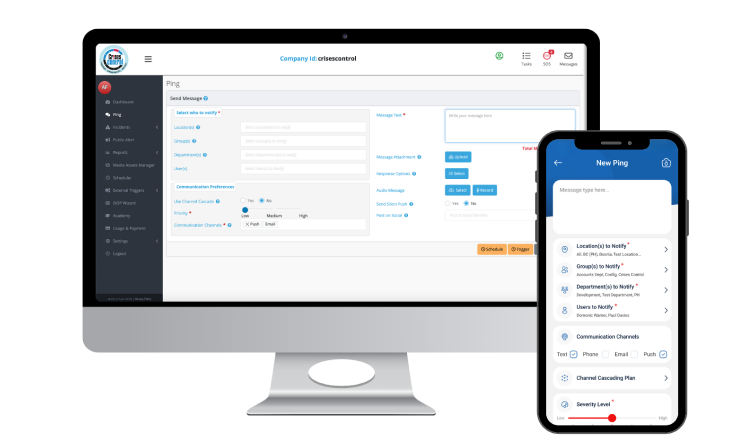
Interested in our Ping Mass Notification Software?
Efficiently alert everyone in seconds at scale with our Mass Notification Software.
Lack of Structured Incident Response
Many creative teams operate without clear emergency plans. When incidents occur, people are unsure of what to do, leading to repeated work and miscommunication.
Problem: Confusion during emergencies slows the response and can put staff at risk.
Solution: An incident management platform provides predefined workflows, role-based actions, and clear instructions so staff can act confidently.
Safety Risks on Site
Fire alarms, building access issues, or extreme weather can put employees at risk if there is no immediate alert system.
Problem: Staff may be unaware of hazards until it is too late.
Solution: SOS panic button apps and automated incident notifications improve safety by keeping staff informed and allowing managers to take action quickly.
Client Communication During Disruptions
Emergencies can interrupt workflows and prevent agencies from updating clients.
Problem: Miscommunication or delays can harm client relationships and damage the agency’s reputation.
Solution: AI-driven emergency tools help teams coordinate internally first, ensuring client updates are accurate, timely, and professional.
Manual Business Continuity Plans
Traditional business continuity plans are often paper-based or stored in inaccessible documents.
Problem: Staff cannot follow plans efficiently during incidents.
Solution: Business continuity platforms turn static plans into actionable steps stored in the cloud, available at all times and easy to follow.
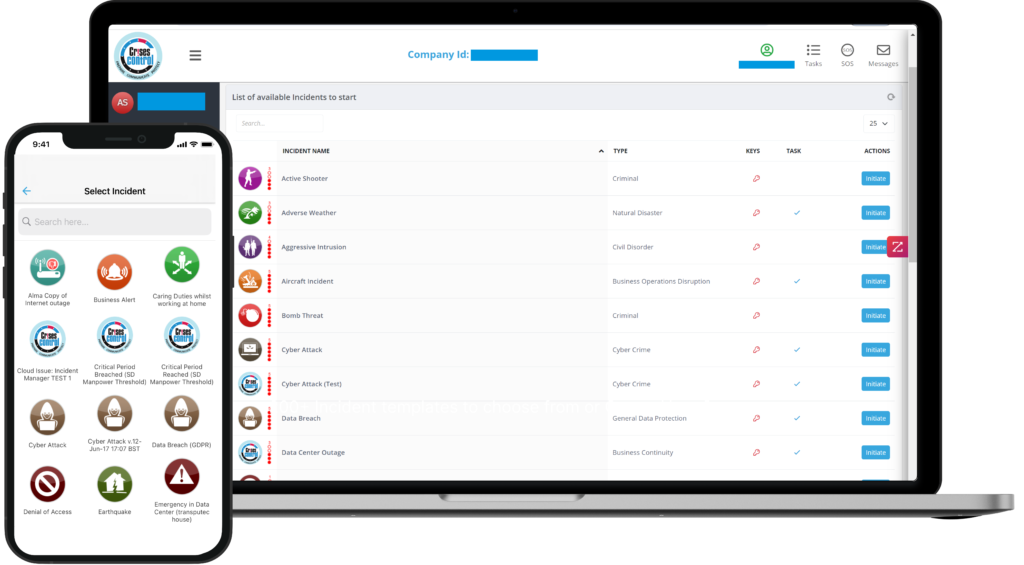
Interested in our Incident Management Software?
Flexible Incident Management Software to keep you connected and in control.
How AI Improves Crisis Response in Design Agencies
AI does more than alert staff; it changes how teams make decisions under pressure.
Faster Decision-Making
AI tools gather and analyse incident information from multiple sources, then suggest actionable steps for the right team members based on their roles and location. This guidance helps teams make informed decisions quickly, keeps managers informed through real-time reporting, and ensures consistent, coordinated responses without replacing human judgment.
Escalation and Confirmation
Automated escalation prevents critical alerts from being missed.
- Sends follow-ups to managers if initial notifications are not acknowledged.
- Tracks who has received alerts and completed tasks.
- Helps agencies meet audit and compliance requirements.
Supporting Client Communication
AI assists in managing external communication during incidents.
- Confirms internal tasks are completed before client messages are sent.
- Offers structured message templates for consistent communication.
- Reduces risk of miscommunication during complex incidents.
Integration with Existing Platforms
AI emergency assistants can work alongside collaboration tools such as Microsoft Teams.
- Sends alerts directly in tools staff already use.
- Prevents duplicate notifications and ensures all messages are logged.
- Reaches staff through multiple channels for higher visibility.
Common Mistakes and Misconceptions
Many creative agencies assume that manual processes are sufficient for managing incidents, but in practice, this often falls short. For example, they may expect that everyone will see an email or chat notification, yet teams focused on client work can easily miss messages. Similarly, some believe that escalation can be handled manually, but human error can delay responses when timing is critical. There is also a common assumption that business continuity plans only need occasional updates, yet outdated plans can create confusion, particularly when teams, locations, or client requirements change. AI emergency assistants help address these risks by automating alerts, guiding actions, and tracking responses in real time.
Compliance and Regional Considerations
Agencies operating in multiple countries must meet regional compliance standards while responding quickly.
| Region | Focus | AI Emergency Assistant Support |
| UK | Health & Safety, GDPR, ISO 22301 | GDPR-compliant alerts, secure cloud hosting, audit logs |
| EU | GDPR, DORA, ISO 22301, NIS2 | Documented incident response, regulatory reporting |
| Middle East | Civil Defence regulations, ISO 22301, data residency | Regional cloud hosting, emergency preparedness tools |
| USA | OSHA, HIPAA (where applicable), SOC 2 | SOS alerts, compliance reporting |
| Canada | OH&S Acts, PIPEDA, ISO 22301 | Secure notifications, incident documentation |
Crises Control helps design agencies maintain compliance by securely logging all alerts and actions, supporting regional cloud hosting requirements, and documenting incident responses for review. These features assist with regulatory reporting and internal audits, without providing legal advice.
Best Practices for Design Agencies Implementing AI Emergency Assistants
- Map Incident Scenarios: Identify likely risks such as IT outages, office emergencies, or extreme weather.
- Define Roles and Responsibilities: Assign clear actions to managers, team leads, and staff using role-based workflows.
- Use Multiple Channels: Ensure staff receive alerts via mobile app, SMS, email, or voice, depending on availability.
- Test and Train Regularly: Conduct exercises to check AI recommendations and team readiness.
- Review and Update Continuously: Keep contact lists, escalation paths, and incident plans up to date with organisational changes.
Conclusion
Using an AI emergency assistant helps creative teams shift from reacting to incidents to managing them proactively. Automated alerts, escalations, and confirmation tracking ensure everyone knows what to do, reducing operational risk, strengthening resilience, and keeping projects on schedule.
Platforms like Crises Control provide a centralised, cloud-based solution that makes these capabilities easy to implement, giving design agencies reliable tools to manage incidents across multiple locations.
Request a FREE Demo