Written by Anneri Fourie | Crises Control Executive
Most organisations believe they are prepared for an emergency. There is a plan somewhere, a document that was signed off, shared, and then quietly forgotten. The problem appears when something actually goes wrong.
A worker is injured. A fire alarm sounds. A site loses power. People start asking questions at the same time, and nobody is fully sure who should answer them. The plan exists, yet it is not helping.
This is the gap an Emergency Response Plan is meant to close.
A well-designed Emergency Response Plan gives people clear direction when stress is high and time is limited. It removes guesswork, sets expectations, and helps teams act with confidence. This article explains what an Emergency Response Plan really is, how it works in real situations, how to set one up properly, and why many organisations are moving towards digital emergency response plans to support incident management and business continuity.
What Is an Emergency Response Plan?
An Emergency Response Plan is a practical guide that explains how an organisation should respond when an emergency occurs. Its purpose is to help people act quickly, safely, and in a coordinated way when something goes wrong. It is not a policy document written for audits or compliance files. Instead, it is designed for the people on the ground who need clear direction under pressure, showing who is responsible for what, how communication should happen, and which actions need to be taken to protect people and limit harm.
What a Good Emergency Response Plan Covers
A useful Emergency Response Plan focuses on action. It gives people enough information to act without overwhelming them.
Most effective plans include:
- Emergency scenarios that are realistic for the organisation
- Clear roles and responsibilities
- Simple step by step response actions
- Emergency communication methods
- Evacuation or shelter instructions
- Guidance for working with emergency services
- Recovery steps once the immediate risk has passed
For organisations with site based teams or contractors, the plan must also cover people who are not always on email or sitting at a desk.
Why Emergency Response Plans Often Fail in Real Emergencies
Emergency Response Plans usually fail for one simple reason. They are created to exist, not to be used.
Many plans look complete on paper but fall apart under pressure.
Common problems include:
| Challenge | Why it causes problems |
| Plans stored as PDFs or printed binders | People cannot access them when systems are down or they are off site |
| Roles that are unclear or shared | Actions are delayed because responsibility is uncertain |
| Manual call trees | Communication takes too long |
| Out of date contact details | Key people cannot be reached |
| No way to track actions | Teams cannot see what has been done |
An Emergency Response Plan must support fast action. If it slows people down, it is not working.
How an Emergency Response Plan Works in a Real Emergency
An Emergency Response Plan works by removing uncertainty. It gives people a clear path to follow so they can focus on action rather than decision making. In practice, the plan follows a structured flow that helps teams respond in a calm and coordinated way:
- Incident detection: An incident is identified by staff, monitoring systems, or external alerts.
- Assessment and declaration: The situation is reviewed and the appropriate response plan is activated.
- Emergency communication: Clear instructions are shared with employees, contractors, and other affected groups.
- Response and coordination: Assigned roles carry out specific actions while leaders maintain oversight.
- Stabilisation and recovery: The immediate risk is controlled and the organisation moves towards recovery.
What a Good Emergency Response Plan Achieves
When an Emergency Response Plan is designed well and kept up to date, the impact is noticeable.
It helps organisations achieve:
- Faster and calmer decision making
- Clear ownership of tasks
- Fewer communication breakdowns
- Better coordination across sites and teams
- Reduced risk to people and operations
- Stronger links between response and business continuity
These outcomes matter long after the incident itself.
How to Set Up an Emergency Response Plan That People Will Use
Creating an Emergency Response Plan is not about writing a long document. It is about building something people can rely on when pressure is high.
Step 1: Identify realistic emergency scenarios
Start with the risks that are most likely to occur and cause harm.
Examples include:
- Medical emergencies
- Fires or explosions
- Severe weather
- Equipment failure
- Security incidents
Focus on what could realistically happen, not every possible scenario.
Step 2: Define roles and responsibilities clearly
Every Emergency Response Plan should answer a few basic questions:
- Who declares the emergency?
- Who communicates with staff?
- Who contacts emergency services?
- Who makes decisions if senior leaders are unavailable?
Roles should be clear, named, and supported by deputies.
Step 3: Write actions people can follow under pressure
Response steps should be short, practical, and written in plain language.
For example:
“Site Manager confirms staff safety using mobile check in within ten minutes.”
Avoid vague statements that do not translate into action.
Step 4: Plan for communication problems
An Emergency Response Plan should assume that some systems will not be available when an incident occurs. Power outages, network failures, or local disruptions can prevent people from accessing email or shared drives. Reliable plans therefore rely on multiple communication methods to make sure instructions reach the right people quickly and clearly:
- Mobile alerts
- SMS and voice calls
- Access to response instructions without relying on email
- Confirmation that messages have been received
Being able to reach people quickly and clearly is one of the most critical elements of an effective Emergency Response Plan.
Step 5: Test, review, and improve the plan
Emergency Response Plans must be used to stay useful.
This means:
- Running drills and exercises
- Reviewing what worked and what did not
- Updating plans after incidents or changes
This is where Incident Management Software becomes particularly helpful.
The Role of Incident Management Software in Emergency Response
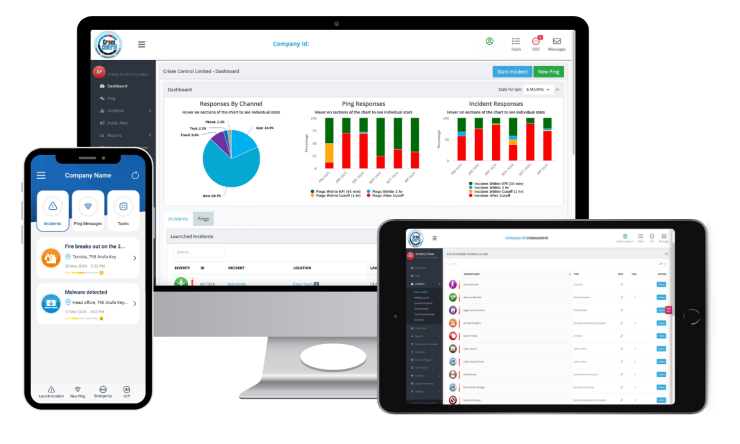
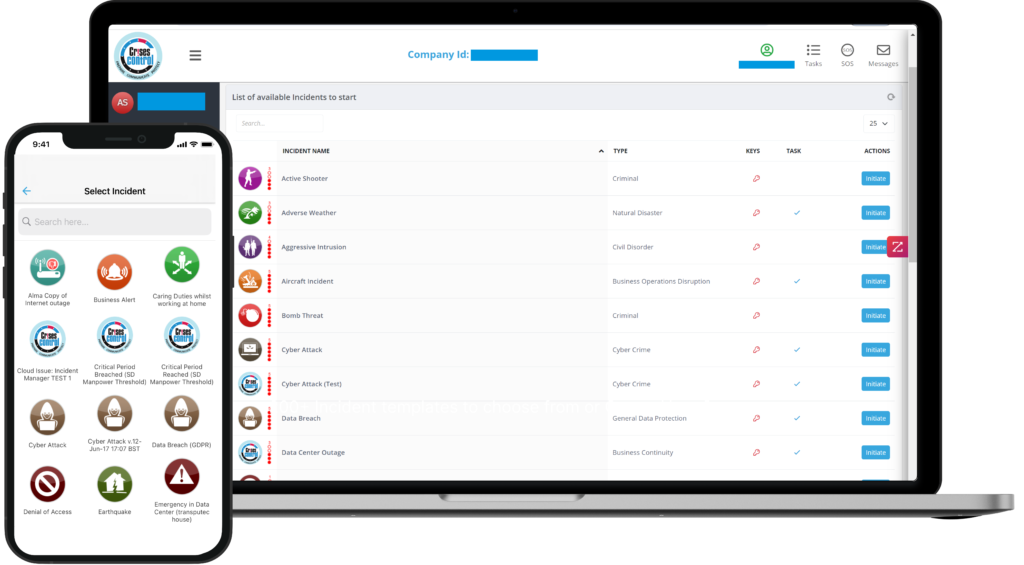
Incident Management Software supports Emergency Response Plans by turning them into structured actions.
Instead of relying on emails, phone calls, or memory, teams can follow predefined workflows.
Incident Management Software can support:
- Fast incident declaration
- Task assignment and tracking
- Centralised communication
- Visibility for decision makers
- Automatic records of what happened
This structure helps teams stay focused and aligned during stressful situations.
Interested in our Incident Management Software?
Flexible Incident Management Software to keep you connected and in control.
Why Digital Emergency Response Plans Are Becoming the Standard
Traditional Emergency Response Plans were designed for paper based environments. Many organisations now operate across multiple sites with mobile teams.
Digital emergency response plans help bridge that gap.
Benefits of digital emergency response plans
| Capability | Practical benefit |
| Cloud access | Plans available anywhere |
| Mobile use | Faster response on site |
| Multiple communication channels | Higher chance messages are received |
| Task tracking | Clear accountability |
| Audit records | Easier reviews and learning |
Digital plans also support business continuity by helping organisations stabilise incidents more quickly and reduce disruption.
How Crises Control Fits into Emergency Response Planning
Crises Control supports organisations by helping them move from static Emergency Response Plans to plans that can be used in real situations.
In practice, this involves:
- Breaking existing plans into clear actions
- Making plans accessible via web and mobile
- Supporting multi channel emergency communication
- Enabling structured incident management
- Capturing records for review and improvement
The focus is not on replacing existing work, but on making plans easier to use when it matters.
Bringing It All Together
An Emergency Response Plan is only effective if it works when people actually need it. That means it must be clear, accessible, and built around how teams respond under pressure, not how documents are reviewed during audits. Plans that sit in folders or rely on a single communication method often fail at the moment they are needed most.
Organisations that invest time in setting up practical response steps, testing them regularly, and supporting them with digital tools are far better placed to protect people and limit disruption. Digital emergency response plans and Incident Management Software help turn intent into action by making plans easier to access, easier to follow, and easier to improve over time. This also strengthens business continuity by reducing the impact of incidents before they escalate.
If you want to see how your Emergency Response Plan could work in a real situation, rather than on paper, you can explore how Crises Control helps organisations digitise and activate their plans.
Request a free demo today to see how emergency response plans can be made practical, accessible, and ready to use when it matters most.
Request a FREE Demo