
Written by Dr Shalen Sehgal | Crises Control CEO
Choosing the right hospital incident management software is a procurement decision that is tested far more harshly than most. The presentation room is calm. The demo is controlled. The vendor knows exactly which questions are coming. None of that resembles the conditions under which the software will actually be used.
The conditions under which it will be used are a Code Blue at 2 AM. A ransomware attack that has taken clinical systems offline. An active security threat requiring an immediate multi-ward lockdown. A mass casualty event arriving at the emergency department with no advance warning. In every one of those scenarios, the software either performs or it does not. There is no opportunity to revisit the procurement decision.
This post sets out the 5 questions that reveal whether a platform was genuinely built for hospital environments or adapted from somewhere else. They are the questions most procurement processes do not ask, and the gaps they expose are the ones that become visible during real incidents. This is the fourth post in a series on healthcare incident response. For the full picture, see why coordination fails after the alert fires, how the five hospital emergency response phases unfold in practice, and what healthcare teams actually need from a crisis management platform.
Why Choosing Incident Management Software for Hospitals Is Different
Most enterprise software procurement follows a familiar pattern: requirements gathering, shortlist, demo, reference check, decision. That process works well for CRM systems, finance platforms, and project management tools. It works poorly for hospital incident management software because the evaluation conditions bear no resemblance to the deployment conditions.
In a demo, the vendor controls what is shown. The notification fires instantly. The dashboard looks clean. The compliance report generates in one click. Nobody’s pager battery is dead. Nobody is mid-procedure on another floor. The IT network is not down. The person who was supposed to be on the on-call rota today did not swap shifts this morning without updating the system.
The gap between a successful demo and a failed real incident is almost always the same gap: the platform was evaluated on its best day and deployed on one of the worst. Choosing incident management software for hospitals requires deliberately testing the conditions that will expose a weak platform before a real incident does it for you.
The 5 Questions That Reveal Whether the Platform Was Built for Hospitals
Question 1: What does it do in the 60 seconds after the alert is delivered?
This is the single most important question in any evaluation. Ask the vendor to walk through it specifically, on screen, during the demonstration. Not in principle. Not in a diagram. Live, step by step.
A notification tool sends the alert and stops. The demo moves on. What you need to see is what happens next: the task assignment to the specific role on the current shift, the acknowledgement tracking dashboard updating in real time, the automatic escalation firing when a task is not confirmed within the configured window.
If the vendor cannot demonstrate this sequence clearly, the platform stops at notification. And in a hospital, the notification is the first three seconds. The response is everything after. See how a healthcare crisis management platform should run that response for the full capability checklist.
Question 2: How does it route tasks when the named contact is unavailable?
Name a specific scenario before the demonstration begins: your head of clinical safety is on leave, it is Sunday at midnight, and a Code Blue fires. What does the system do?
The answer you need is role-based routing that draws from whoever currently holds that role on the active shift, with automatic escalation to the designated backup if the primary holder does not acknowledge within the configured window. The incident management platform that gives this answer has solved one of the most consistent failure modes in hospital incident response. Any answer that involves a phone call, a manual roster check, or a static contact list has not.
Follow up with: how often does the system’s roster update? The answer should be: in real time, automatically, as shift patterns change. If the answer involves manual updates, the system will be out of date within days of going live.
Question 3: Does it operate if your internal network is down?
This question matters more in healthcare than in almost any other sector. Ransomware is the most common serious cyber threat facing hospitals today. The Change Healthcare breach in February 2024 affected 192.7 million patient records. The NHS CrowdStrike outage in July 2024 took clinical systems offline across the UK for days.
A hospital incident management platform that requires VPN access, Active Directory authentication, or corporate email to function is unavailable in both of those scenarios. Get a direct, unambiguous answer to this question. The right answer is: the platform operates on its own cloud infrastructure, entirely separate from hospital IT, and reaches staff via SMS and voice call when digital channels are unavailable.
In July 2024 the NHS CrowdStrike outage affected 8.5 million Windows devices worldwide and disrupted hospital operations across the United Kingdom for days. The facilities that maintained emergency communication capability throughout were those whose notification systems operated on infrastructure independent of the Microsoft environment that the outage affected.
Question 4: How is the compliance documentation produced?
Ask this question specifically, not generally. Not: does it produce compliance documentation? Ask: when is the incident record created? How is it produced? Who creates it?
The right answer is: every notification, acknowledgement, escalation, and task completion is logged automatically with a timestamp throughout the incident. The incident management platform builds the record as the incident unfolds. By the time the incident closes, the CMS, Joint Commission, and NHS governance documentation already exists as a complete, accurate account of what happened. No staff effort required.
The wrong answer involves any of the following: someone compiles it after the incident, it is exported from logs, staff submit a summary. Any process that depends on human action after the incident will produce an incomplete, partially inaccurate record assembled by exhausted people from fading memory.
Question 5: How quickly can it be configured for your specific incident types?
A platform that takes six months to implement before it can handle a standard hospital code type has the wrong architecture for a clinical environment. The implementation timeline is not just a project management question. It is a signal about how the platform was designed.
Purpose-built incident management software for hospitals arrives with pre-built templates for every standard code type and can be configured to your specific role structures, escalation windows, and site layouts within weeks. Platforms that require significant custom development before they can run a Code Blue were not built for hospitals. They were adapted for hospitals, and the adaptation cost is measured in both time and reliability.
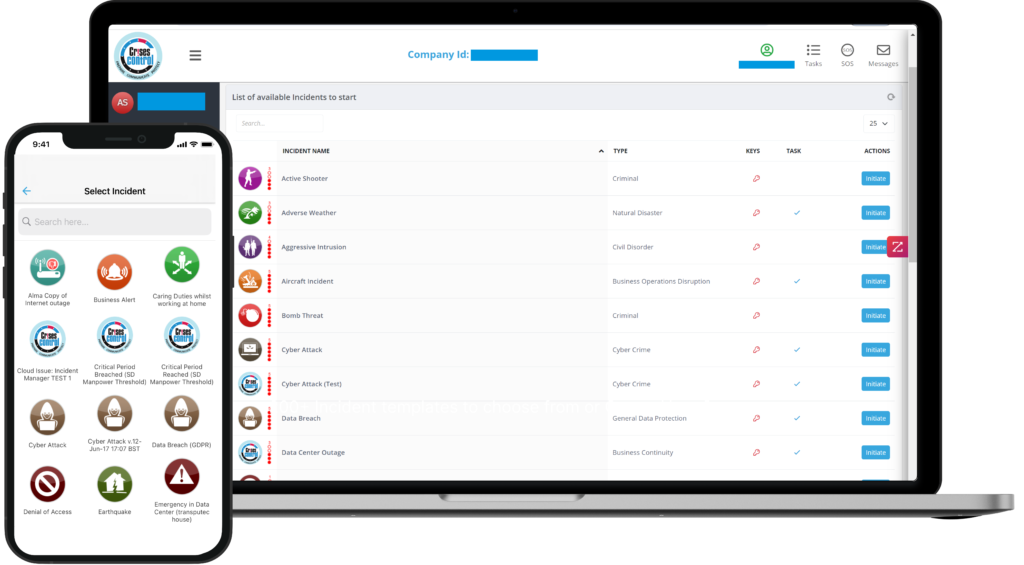
Interested in our Incident Management Software?
Flexible Incident Management Software to keep you connected and in control.
How the Main Platforms Compare
The market ranges from pure notification tools to full enterprise resilience suites. Here is where the main options sit against the five capabilities these questions are designed to test.
- Everbridge Strong alerts. Global delivery infrastructure. Partial role-based routing. Limited automatic escalation. Partial audit trail. Solves the alert delivery problem well. Does not solve the coordination problem.
- AlertMedia Basic role-based tasks. No automatic escalation. Basic dashboard. No automatic audit trail. No offline capability. Built for simplicity and speed of notification. Not designed for complex clinical coordination.
- Noggin Strong role-based tasks. Strong automatic escalation. Strong dashboard. Strong audit trail. No offline capability. Capable workflow platform. Significant implementation complexity. Dependent on standard IT infrastructure.
- Teams / Slack No role-based tasks. No automatic escalation. No incident dashboard. No audit trail. No offline capability. Communication tools with no incident coordination or compliance capability. Not built for crisis response.
- Crises Control Strong role-based tasks. Strong automatic escalation. Strong live dashboard. Automatic audit trail. Yes, operates independently of hospital IT. The execution layer: alerts, coordination, acknowledgement tracking, live dashboards, and automatic documentation in a single platform built for clinical environments.
Most competitors either notify people or document plans. Crises Control executes the response. Every alert, every task, every acknowledgement, every escalation logged automatically. Built for real incidents, not demos.
How Crises Control Answers All 5 Questions
Crises Control is incident management software for hospitals built around the specific conditions of clinical environments: 24/7 shift patterns, rotating staff, multi-site networks, patient safety obligations that cannot pause for technology failures, and regulatory documentation requirements that persist long after any incident.
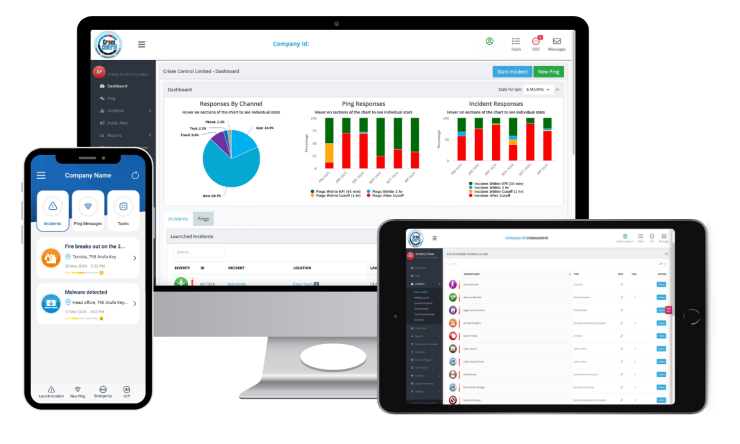
When an incident fires, PING delivers role-specific tasks across SMS, voice, push, and email simultaneously. Tasks route to whoever holds each relevant role on the active shift, drawn from the current roster in real time. Individual acknowledgements are tracked from the moment of delivery. Non-responses escalate automatically to the designated backup role without any human intervention.
The incident management platform gives every decision-maker the same live operational dashboard on any device. Every action is logged automatically throughout the incident. The platform operates on its own cloud infrastructure, independent of hospital IT systems. When a ransomware attack or IT outage takes internal networks offline, the platform keeps running.
The compliance record exists the moment the incident closes. Not assembled. Not reconstructed. A live account of what actually happened, accurate to the second. To test all five against your facility’s real incident types, request a personalised demo.
FAQs
1.What should I look for when choosing incident management software for hospitals?
The five most important capabilities when choosing incident management software for hospitals are: role-based task assignment that draws from the current shift roster in real time; individual acknowledgement tracking that shows exactly who has confirmed their task; automatic escalation when tasks are not acknowledged within a configured window; a live operational dashboard that every decision-maker can access simultaneously; and automatic compliance documentation logged throughout the incident. Any platform that does not demonstrate all five during an evaluation should be tested further before a decision is made
2.Why do hospital incident management platforms fail during real incidents?
The most common reason is that they were evaluated in controlled conditions and deployed in uncontrolled ones. Platforms that route to named individuals fail when staff have changed roles or are unavailable. Platforms that depend on internal IT infrastructure fail during the ransomware attacks and network outages that are among the most serious incidents hospitals face. Platforms that require manual documentation fail because the staff who need to produce it were managing the incident. Each of these failure modes is predictable and preventable if the right questions are asked before the purchase is made.
3.What is the difference between a hospital notification system and an incident management platform?
A notification system sends alerts and confirms delivery. An incident management platform for hospitals does everything that follows: it assigns tasks to the right roles on the current shift, tracks individual acknowledgements, escalates automatically when someone does not respond, gives every decision-maker a shared live view of the response, and builds a complete compliance record automatically throughout the incident. In hospital emergency response, the notification starts the response. The incident management platform runs it.
4. How long should it take to implement incident management software in a hospital?
A purpose-built platform configured for clinical environments should reach operational readiness in weeks rather than months. The key variables are the number of incident types to configure, the complexity of the role-based notification structure, and the number of sites to set up. If a vendor quotes a multi-month timeline before the platform can handle a standard hospital code type, that timeline reflects an architecture that was not designed for healthcare from the outset.