Written by Anneri Fourie | Crises Control Executive
IT projects are expected to run smoothly. Clients assume systems will stay online, data will remain secure, and delivery timelines will hold. When something goes wrong, IT teams are often judged not just on the technical fix, but on how well they communicate, coordinate, and limit disruption.
The problem is that many IT projects are still managed with the assumption that incidents are rare and short lived. Plans exist, but they are stored in documents, shared drives, or folders that no one checks under pressure. Communication relies on email or chat tools that may be unavailable during an outage. Decision making becomes reactive, fragmented, and slow.
Incident Management Software addresses this gap. It gives IT teams a practical way to prepare for disruption, respond with clarity, and recover without losing control of the situation. This article explains how crisis management applies specifically to IT projects, where response efforts often fail, and how structured tools such as Incident Management Software, Business Continuity Software, and Mass Notification Software support more reliable outcomes. It also shows how Crises Control fits into real IT environments without adding unnecessary complexity.
Crisis Management for IT Projects and the Role of Incident Management Software
Crisis management for IT projects is about maintaining control when normal processes no longer apply. A crisis may start as a technical fault, but it quickly becomes a coordination problem. People need information, decisions need to be recorded, and actions need to happen in the right order.
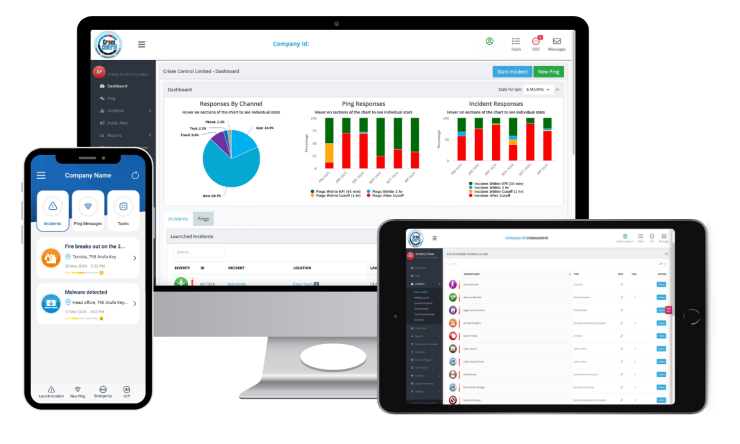
Incident Management Software provides a shared environment where IT teams can manage this complexity. Instead of relying on memory or informal communication, teams work from a single view of the incident.
At a practical level, this means:
- Incidents are logged in a consistent way
- Alerts reach the right technical and business stakeholders
- Response actions are assigned and tracked
- Updates are shared without conflicting messages
- Evidence is captured for review and compliance
IT projects are rarely isolated. A single issue can affect multiple clients, regions, or services. Software driven incident management helps teams see the wider impact and respond with context rather than guesswork.
Common Crisis Scenarios in IT Projects
Crisis planning works best when it reflects real situations rather than abstract risks. IT Services and Consulting teams face recurring patterns of disruption.
Cybersecurity incidents
Ransomware, data breaches, and unauthorised access attempts place immediate pressure on IT, security, legal, and communications teams. Delays in coordination often lead to wider data exposure and increased regulatory risk. Clear alerting and defined response roles reduce confusion during these events.
Infrastructure and platform outages
Server failures, cloud service disruptions, and network issues can stop both project work and live services. When core systems are unavailable, teams need communication channels that do not depend on the affected infrastructure.
Software deployment failures
A faulty release or configuration change can disrupt production environments. The technical fix is only part of the response. Clients and internal stakeholders expect timely updates and a clear plan for resolution.
Third party service failures
Many IT projects depend on external providers. When a supplier experiences an outage, IT teams still carry responsibility for client communication and service continuity.
Insider and operational risks
Mistakes, poor change control, or malicious actions may not cause immediate failure but can escalate over time. Early escalation and documented response steps help limit long term impact.
Where Incident Response Breaks Down in IT Projects
During major incidents, IT teams often fall back on tools that were never designed for crisis response. Email threads become unmanageable. Chat messages are missed. Responsibilities blur.
Common problems include:
- No clear owner for the overall response
- Stakeholders receiving different versions of the truth
- Delayed escalation to senior decision makers
- Gaps in records once the incident is over
Crisis Management Software and Business Continuity Software address these issues by replacing informal coordination with defined workflows that still allow teams to adapt as events unfold.
Business Continuity Planning for IT Projects
Business continuity planning for IT projects focuses on keeping essential services and commitments running during disruption. It links technical recovery with communication, governance, and accountability.
Effective plans answer straightforward but critical questions:
- Which services and projects must be prioritised?
- Who needs to be notified and when?
- What actions are required in the first stages of disruption?
- How are clients kept informed?
- How is evidence captured for audits and reviews?
Business Continuity Software turns these plans into practical actions. Instead of static documents, teams follow guided steps that trigger alerts, assign tasks, and record outcomes. This approach reduces reliance on individual experience and supports consistent response across projects.
Incident Management Software for IT Outages
IT outages place intense pressure on response teams. Incident management software for IT outages supports faster, more controlled action without overwhelming staff.
Getting alerts to the right people
Mass Notification Software ensures alerts are delivered across multiple channels, including mobile apps, SMS, voice, and email. This reduces dependence on any single system and improves reach during infrastructure failures.
Managing escalation clearly
Predefined escalation rules move incidents to senior technical staff and leadership when required. This avoids delays caused by uncertainty or unavailable contacts.
Coordinating response tasks
Actions are assigned, tracked, and updated in one place. Teams spend less time chasing information and more time resolving the issue.
Maintaining situational awareness
Live dashboards show what is affected, what actions are underway, and what decisions have been made. This supports informed leadership oversight.
Supporting review and improvement
Detailed records support root cause analysis, regulatory reporting, and service improvement after the incident has closed.
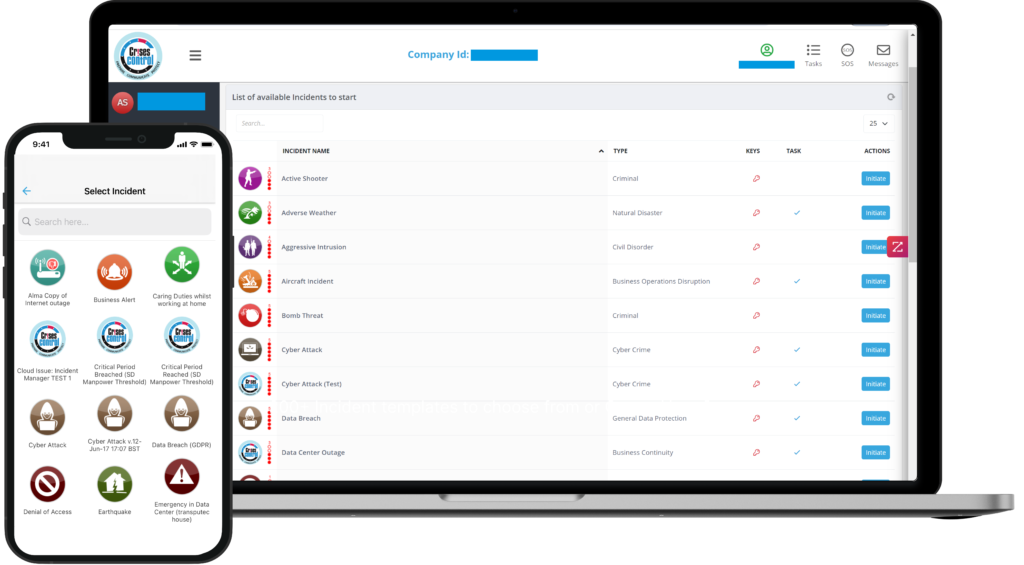
Interested in our Incident Management Software?
Customise your Crisis Incident Management Software to meet your specific needs with our flexible tools & stay connected and informed during the crisis and incident management process
Mass Notification System for IT Incident Response
Poor communication often creates more damage than the original technical fault. A mass notification system for IT incident response helps teams share accurate information without delay.
Benefits include:
- Rapid notification of IT, security, and leadership teams
- Controlled updates to clients and partners
- Multi language support for global operations
- Confirmation of message delivery and acknowledgement
Relying solely on email during an incident is risky. Dedicated notification platforms remain available even when corporate systems are under strain.
Critical Event Management Software and Governance
Critical Event Management Software connects incident response with governance requirements. For IT projects, this supports consistency and accountability.
Governance advantages include:
- Standard incident classification and severity levels
- Alignment with GDPR, NIS2, and ISO standards
- Complete records of decisions and communications
- Clear evidence for client and regulator reporting
For IT consultancies working across regions, this consistency reduces risk and supports client confidence.
How Crises Control Supports Crisis Management for IT Projects
Crises Control provides a platform designed for organisations that need to manage complex incidents without relying on fragmented tools.
Key capabilities include:
- Incident workflows aligned with IT and cyber response needs
- Mass notification that operates independently of email systems
- Centralised access to plans, contacts, and assets
- Real time dashboards for operational and executive teams
- Detailed audit trails for compliance and review
Crises Control operates on its own secure cloud infrastructure and remains accessible through mobile devices. This allows teams to coordinate response even when other platforms are unavailable. The modular structure supports organisations that want to start small and expand as requirements grow.
Building Crisis Management into the IT Project Lifecycle
Crisis management works best when it is part of everyday project governance rather than an afterthought.
Practical steps include:
- Including incident response planning during project setup
- Aligning response roles with project ownership
- Running realistic incident exercises linked to live systems
- Reviewing incident data during project reviews
This approach reduces disruption and improves confidence across teams and clients.
Preparing Teams Through Testing and Training
Plans only work when people know how to use them. Regular testing helps teams build familiarity with response processes and tools.
Crises Control supports exercises that reflect real IT incidents. Performance data highlights delays, communication gaps, and process weaknesses. Over time, this helps organisations reduce risk and improve consistency across projects.
Final Thoughts and Next Steps
Crisis management for IT projects depends on preparation, coordination, and clear communication. Incident Management Software supports these needs by giving IT teams a structured way to respond when normal processes break down.
Crises Control helps IT Services and Consulting organisations manage incidents with clarity and accountability, without adding unnecessary overhead.
If you would like to see how this approach could work for your organisation, contact Crises Control to get a free personalised demo.
Request a FREE Demo