Written by Anneri Fourie | Crises Control Executive
A system fails. Engineers begin investigating. At first the problem looks technical.
Minutes later customer dashboards stop updating. Internal tools slow down. Staff cannot access systems they rely on to do their jobs. Customer support teams start receiving calls.
Leadership wants answers. Operations teams want to know what is safe to continue running. Security teams ask whether the issue could be malicious.
The original problem may have started in IT, yet the impact spreads across the organisation.
This is where many companies struggle. Technical teams focus on restoring systems while the rest of the business tries to understand what is happening.
Incident management software helps organisations manage this situation in a structured way. It allows teams to coordinate response actions, communicate clearly, and keep leadership informed while engineers work on resolving the technical issue.
For technology companies running platforms, services, or events, the ability to coordinate incidents across teams is just as important as fixing the technical problem.
What Incident Management Software Actually Does
Incident management software is a platform that helps organisations coordinate response during operational disruptions.
Instead of relying on scattered communication tools and static documents, the platform connects teams through a structured response process.
Typical capabilities include:
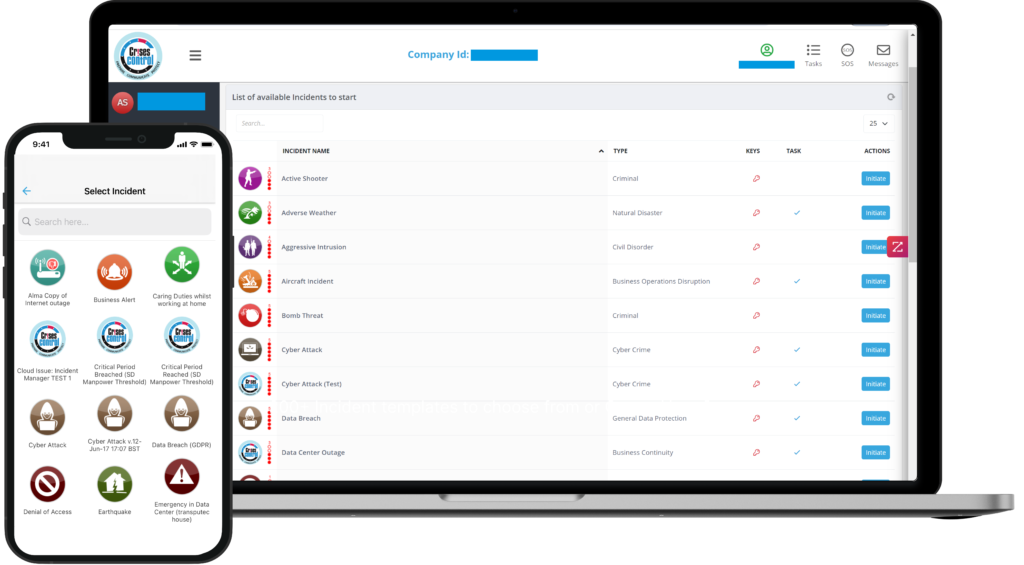
- launching and managing incidents
- notifying the right people immediately
- assigning response roles
- tracking tasks and decisions
- sharing real time updates with leadership
For technology companies, this creates a single place where technical teams, operations teams, communications teams and leadership can coordinate response activities.
Without this structure, incidents often become harder to manage than the technical issue itself.
Interested in our Incident Management Software?
Flexible Incident Management Software to keep you connected and in control.
A Real Operational Scenario
Consider a company running a global technology platform used during live events.
During a large event, several teams are working at the same time. Technical engineers monitor the digital platform. Operations teams manage the event environment. Security teams ensure safety across the venue. Communications staff are responsible for keeping stakeholders informed.
During the event an alert appears in the monitoring system. A core service begins behaving unexpectedly. Within minutes event dashboards start failing to update.
Engineers begin investigating. At the same time, operations teams notice that systems used for coordination are responding slowly.
Security teams want to know whether the disruption could affect safety monitoring. Communications teams prepare messages in case attendees or clients need to be informed.
At this stage the incident is still technical. Yet several departments are already involved.
Without clear coordination, each team may start acting independently. Some people may escalate the issue while others wait for updates. Messages start circulating in chat channels and email threads.
Confusion grows quickly.
This is the moment when incident management software becomes critical. It creates structure when multiple teams are reacting to the same problem.
Why Technical Incidents Become Business Incidents
Technology platforms support many parts of a modern organisation. When one system fails, the effect spreads quickly.
Common operational consequences include:
- customer platforms becoming unavailable
- internal communication tools failing
- operational dashboards losing data
- support teams facing sudden spikes in enquiries
- leadership needing immediate updates
In industries where services run continuously, such as technology platforms or live events, even a short disruption can create operational pressure.
Engineering teams concentrate on resolving the technical cause. At the same time the organisation must answer a different set of questions.
- Who needs to be informed right now?
- Which teams are responsible for specific actions?
- Should operations continue or pause?
- What information should customers receive?
These questions are difficult to manage without a coordinated response structure.
Communication Challenges During Incidents
Communication is often the first area where organisations lose control during incidents.
When systems fail, teams rely on familiar tools such as messaging apps, calls, or email threads. These tools help people talk to each other, yet they do not organise the response.
Several problems appear quickly:
- different teams share conflicting updates
- leadership receives fragmented information
- employees do not know whether they need to take action
- response tasks are duplicated
- critical messages do not reach the right people
In the live event scenario mentioned earlier, teams may need to inform several groups at once.
These may include:
- venue operations staff
- security teams
- engineers
- communications staff
- client representatives
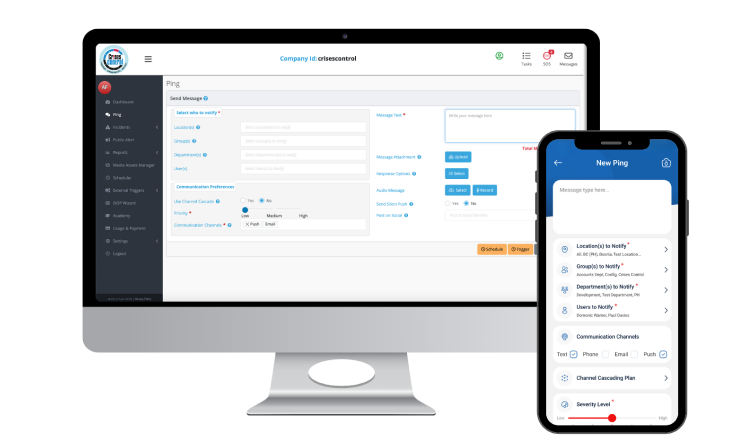
Using mass notification software, organisations can send targeted alerts to the right teams immediately. Each group receives clear instructions about what they need to do.
This reduces confusion and allows technical teams to focus on resolving the issue.
Interested in our Ping Mass Notification Software?
Efficiently alert everyone in seconds at scale with our Mass Notification Software.
Coordinating Response Across Teams
Incidents rarely involve only one department. Even when the root cause is technical, the response usually includes several teams.
Technology companies often define a simple response structure.
- Incident Leadership: One person coordinates the response and ensures teams remain aligned.
- Technical Investigation: Engineers identify the cause and work on restoring systems.
- Operational Assessment: Operations teams monitor how services are affected and decide whether to continue or pause activities.
- Communication Management: Communications staff prepare updates for employees, customers, or partners.
- Leadership Updates: Executives receive regular briefings to guide operational decisions.
This structure prevents response efforts from becoming chaotic. Everyone understands their responsibilities and where information should flow.
A Structured Response In Practice
Companies operating large events or digital platforms often need to activate incidents quickly.
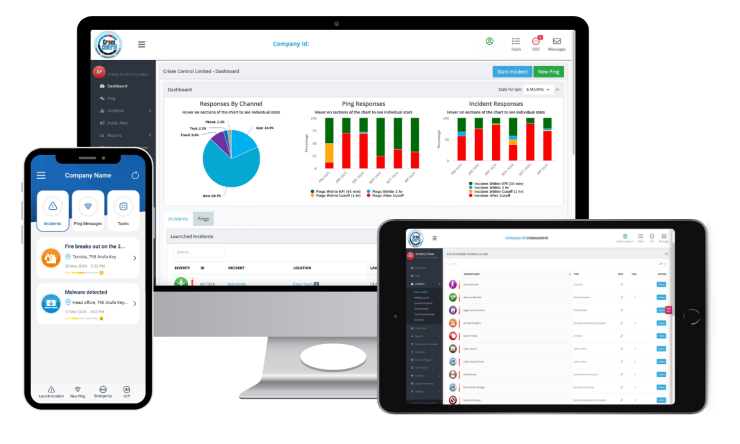
With platforms such as Crises Control, response teams can launch an incident from a mobile device or dashboard.
Once the incident is activated the platform can:
- notify response teams instantly
- assign roles based on predefined plans
- provide access to incident procedures
- send updates through mass notification software
- track actions taken by response teams
This gives the organisation a shared operational picture while engineers investigate the technical problem.
For organisations supporting live environments, this visibility is essential.
Why Manual Processes Break Down
Many organisations still manage incidents through informal methods.
These often include:
- email threads
- chat channels
- spreadsheets
- phone calls
- static response documents
These tools help teams communicate but they do not organise the response.
Common difficulties include:
- outdated contact lists
- response plans that cannot be found quickly
- unclear escalation paths
- poor visibility for leadership
Under pressure, teams begin improvising.
By contrast, incident management software for tech companies allows organisations to digitalise response procedures and keep plans accessible during incidents.
This ensures teams follow a consistent response structure even during stressful situations.
A Common Misunderstanding About Technology Resilience
Many technology leaders believe that improving system reliability will remove most operational disruption.
System reliability is essential, yet it does not remove incidents entirely.
Failures can still occur due to:
- configuration mistakes
- software defects
- infrastructure issues
- human error
- security threats
The real difference between organisations is not whether incidents occur. It is how well they manage the response.
This is why many organisations evaluate the best incident management software platforms to strengthen their operational coordination.
Prevention and response must work together.
Lessons From Real Operational Incidents
Across many industries the same patterns appear during incident reviews.
- Incidents Escalate Quickly: Technical failures spread across departments faster than expected.
- Communication Becomes The Hardest Problem: Once the issue is known, coordinating teams becomes the main challenge.
- Leadership Needs Reliable Information: Executives must make decisions while engineers are still investigating.
- Response Plans Are Hard To Access: Documents stored in shared folders are rarely available when teams need them.
In environments such as large live events, where operations, security and technical teams must act together, structured coordination becomes essential.
This explains why organisations frequently ask how to manage IT incidents across business teams.
How Cloud Based Platforms Support Incident Coordination
Cloud based coordination platforms allow organisations to manage incidents even when internal systems are unavailable.
Platforms such as Crises Control support several important capabilities.
- Digital Incident Plans: Response procedures are stored within the platform and accessible from mobile devices.
- Role Based Response: Team members know their responsibilities during incidents.
- Reliable Communication: Notifications can be delivered through SMS, voice alerts, or mobile applications.
- Shared Situational Awareness: Leadership teams receive updates about actions taken during the response.
These capabilities help organisations maintain operational control during disruptions.
Practical Steps For Technology Organisations
Technology companies responsible for digital services should regularly review their incident response readiness.
Key questions include:
- Are response roles clearly defined?
- Can response teams be alerted immediately?
- Are incident procedures accessible during system outages?
- Is incident coordination structured across departments?
- Can leadership see what actions are being taken?
Answering these questions helps organisations identify weaknesses before a real incident occurs.
Final Thoughts
Technical incidents rarely remain confined to engineering teams.
In modern technology organisations, disruptions quickly affect operations, communications, security and leadership decisions.
Organisations that manage these situations effectively treat technical failures as operational incidents that require coordinated response.
By using incident management software, teams can communicate clearly, coordinate response actions and maintain visibility while technical teams restore services.
Platforms such as Crises Control help organisations digitalise response plans, notify teams reliably and maintain control during operational disruptions.
If you would like to see how this works in practice, speak with our team.
Request a FREE Demo