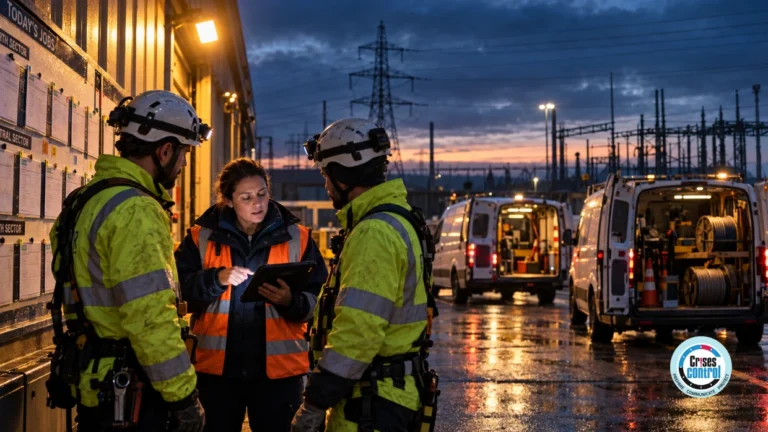
Incident reporting software is a digital system that captures, escalates, and manages site incidents in real time, ensuring hazards are not just logged but acted on before they cause harm.
On a construction site, that includes accidents, near misses, safety hazards, and property damage, recorded from the field and followed through to investigation and corrective action.
It is 8.30am on a building site in Poole. Three men start work in an excavation at the lower level. A breeze block wall at the north end has been back-filled too early, before the mortar has properly set. The wall gives way.
Patrick Grant, 69, is crushed against the concrete floor. Emergency services arrive. There is no rescue plan. The ladder being used to access the excavation is unstable, so the fire and rescue service must hoist him out before he can be airlifted to hospital. His injuries are life changing.
Eight days before this happened, the company’s own health and safety consultants had flagged the temporary works issue. The flag never converted into action. Matrod Frampton Limited was fined £100,000 in December 2025 for the failure.
This is what Incident Reporting Software is supposed to prevent. Not the version that lives in a binder. The version that closes the gap between someone spotting a hazard and someone actually doing something about it.
Because in construction, that gap is where people get hurt.
Why Incident Reporting Software Fails on Construction Sites
Most construction firms already have a system. There is a form. There is a logbook. There is a safety manager. There may even be a digital app that the head office bought at a trade show two years ago.
None of that prevented Patrick Grant from being crushed.
The problem with most incident reporting software in construction is not that it fails to capture data. It captures plenty. The problem is that capture is the only thing it does. The hazard gets logged. The form gets filed. The risk register gets updated. And then nothing happens until somebody dies, somebody is permanently injured, or the HSE turns up at the gate.
Reporting an incident is not the same as responding to one. Most software stops at the first. The whole point is the second.
There is a reason this gap exists. Construction is the only sector where the people who see the problem, the people who can fix the problem, and the people who decide whether the problem is serious enough to act on are almost never in the same place at the same time.
The bricklayer sees that the wall is unstable. The site manager is on a different part of the site. The principal contractor is in the office. The CDM duty holder is at the head office. The H&S consultant visits weekly. By the time information moves through that chain, it has been filtered, softened, paraphrased, or simply forgotten.
Software that just turns paper forms into digital forms does not solve this. It just makes the same broken process faster.
Why Construction Site Incidents Escalate Despite Reporting Systems
Construction recorded 35 worker fatalities in 2024/25, the highest absolute count of any sector in Great Britain (HSE 2025). Falls from height accounted for over half of those deaths. The fatal injury rate in construction is 4.8 times the all-industry average (HSE 2025).
Construction’s non-fatal injury rate is 2.5 per 100 workers, statistically and significantly higher than the all-industry rate of 1.8 per 100, with around 50,000 workers self-reporting workplace injuries over the three years to March 2025 (IOSH Magazine 2025).
Almost every one of those incidents had a precursor. A near-miss. A hazard report. A toolbox talk concerns you. An unstable ladder is mentioned in passing. A subcontractor noted that the temporary works did not look right.
The HSE statistics tell us how many people died. They do not tell us how many of those deaths followed a warning that was logged but never escalated. From prosecution after prosecution, the answer is most of them.
The hidden reason site incidents keep escalating is not that hazards go unnoticed. It is that nobody downstream of the person who noticed gets pulled into the response fast enough to do anything about it.
This is the failure mode of the incident reporting software that it was supposed to solve. It is also the failure mode that almost none of it actually solves.
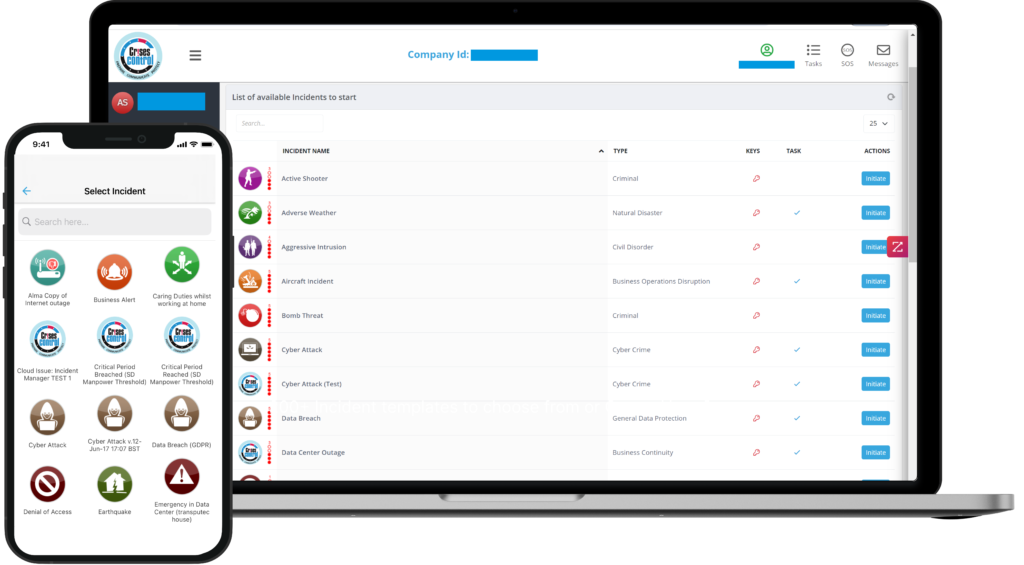
Interested in our Incident Management Software?
Flexible Incident Management Software to keep you connected and in control.
Five Failures Site Reporting Software Must Stop
These are the five places where construction incident reporting breaks down between the moment something is noticed and the moment something is done.
1. The hazard is logged but never escalated
A worker spots an unstable ladder, missing edge protection, and a fragile rooflight without a cover. They tell their supervisor. The supervisor logs it on the app. Then it sits in a queue.
In December 2025, J Smith Construction Services Limited was fined £80,000 after a 29-year-old subcontractor fell through a fragile rooflight at The Tanneries Industrial Estate in Titchfield. He sustained multiple fractures and has not regained full use of one leg. The company had not arranged scaffolding at the open edges nor adequate fall protection through fragile areas. The director was given a three-month suspended prison sentence (HSE 2025).
Logging the risk is not the same as routing the risk. The site needs a system that decides who has to act, by when, and what happens if they do not.
2. The right people do not find out in time
Construction sites are not single-employer environments. They are layered. Principal contractor, subcontractors, sub-subcontractors, agency labour, deliveries, visitors. When something goes wrong, the question of who needs to know is not simple.
If a structural concern is raised on a Friday afternoon and the people who can authorise a stop-work decision do not get the message until Monday, the weekend is not a quiet period. It is the period during which the risk crystallises.
On a multi-contractor site, the speed at which a hazard reaches the right decision-maker is more important than the quality of the form it was reported on.
3. There is no audit trail of what happened next
After an incident, the HSE wants to know who was told, when they were told, what they did, and how that was recorded. This is not a hostile question. It is the basis of every prosecution decision.
If the site cannot produce a defensible timeline, the prosecution writes itself. RIDDOR requires a report to the enforcing authority within 10 days for most reportable incidents and without delay for fatalities and specified injuries. Records must be retained for at least three years (HSE 2024).
A timestamped trail of what was reported, who was notified, what was decided, and when each task was closed out is not a nice-to-have. It is the difference between defensible and indefensible.
4. Coordination breaks down at the moment it is most needed
During a live incident, communication usually fragments. Some people call. Some people text. Some people send WhatsApp messages. The site agent is shouting up a scaffold. The H&S manager is on a different site, twenty miles away.
The result is that decisions get made twice, or not at all, and nobody can later reconstruct who actually called the ambulance, who notified the principal contractor, or who told the family. Slack and Teams are not built for this. They were built for project chat, not crisis coordination.
5. Lessons are never learned across sites
A near-miss on Site A in Manchester rarely informs the risk assessment on Site B in Bristol. Even within the same firm, incident data tends to live in local spreadsheets and never reach the people writing method statements for the next project.
Repeated failures across the same company are exactly what HSE inspectors look for during sentencing. In one 2025 case, Nofax Enterprises was fined £63,000 after the judge concluded there had been a systemic failure to manage health and safety, despite repeated visits and multiple notices being served (HSE 2025). ‘Systemic’ does not mean ‘intentional’. It means the same lesson kept failing to land.
What Construction Incident Reporting Software Must Do to Prevent Accidents
Once you accept that the failure mode is response, not capture, the requirements look different.
Good incident reporting software for construction needs to do four things. Not one. Not two. All four joined up.
- Capture the hazard, near-miss or incident in the field, on a phone, in less than 60 seconds, including a photo and a location.
- Route it automatically to the right roles, not the right names. Roles do not change when a person leaves. Names do.
- Trigger a coordinated response with assigned tasks, deadlines, and a live status against each one.
- Produce a defensible audit trail by default, without anyone having to remember to write it up afterwards.
Most construction firms have something for the first item and almost nothing for the other three. That is why incidents keep escalating.
The Shift from Reporting to Executing
There is a useful question to ask of any system the site is currently using. When a hazard is reported, what happens in the next ten minutes?
If the answer is ‘It gets logged, and someone reviews it later’, the system is a reporting system. It is not a response system.
If the answer is the right people are paged, a task list is generated, work is paused if necessary, and a status board updates as each item is closed, the system is a response system.
Construction does not need more reporting. It already produces enormous quantities of paperwork. It needs less time between the report and the response.
Most competitors either notify people or document plans. Crises Control executes the response. Built for real incidents, not demos.
This is not a software preference. It is the conclusion that comes out of the HSE prosecution record. The prosecutions that hurt most are the ones where the warning was given, the warning was logged, and nothing was done in time. The reporting system worked. The response system did not exist.
How Crises Control delivers Incident Reporting Software for construction
Crises Control is not just a notification platform. It is the execution layer on top of reporting.
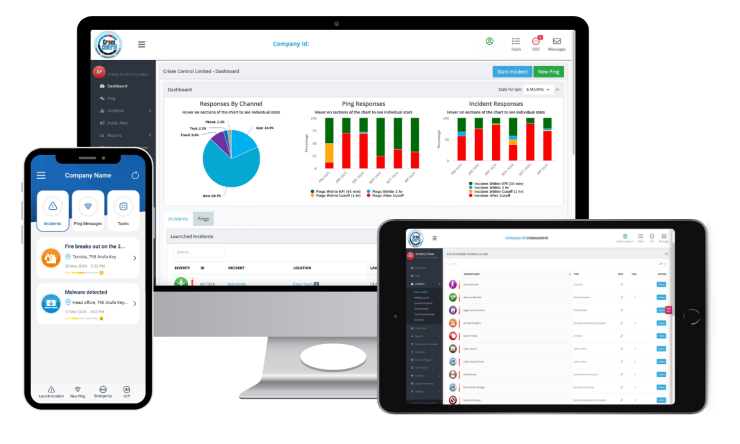
On-site, workers and supervisors can raise an incident from the SOS panic button app or the standard mobile interface in seconds. Photos, location, and category are captured at the source.
From there, the platform handles routing. The incident management module pages the right roles automatically, opens a coordinated response with assigned tasks, and produces a timestamped audit trail without anyone having to write it up afterwards.
If the hazard requires a wider workforce alert, the mass notification system delivers messages across SMS, voice, email, and push, with delivery and read receipts. If the site needs to evacuate, the emergency communication system handles muster point check-ins on the same platform.
All of this is recorded in one place. Who reported what, who was notified, who acted, what was decided, and when each task was closed. That is the timeline the HSE asks for. It is also the timeline that helps the next site avoid the same incident.
A practical comparison
Construction safety teams often ask how Crises Control is different from the systems already in use. The honest answer fits in a table.
|
Platform |
What they do |
What they miss |
|
Everbridge / OnSolve / AlertMedia |
Strong alerts |
No coordination layer after the alert |
|
Fusion / Riskonnect |
Strong planning |
Not built for real-time response |
|
Teams / Slack |
Everyday communication |
No structure, no audit trail, not crisis-built |
|
Crises Control |
The execution layer |
Nothing: alerts plus coordination plus tasks plus audit trail |
On a construction site, every one of those gaps is a gap a person can fall through. Sometimes literally.
What good looks like in practice
A site running good incident reporting software for construction looks different at the operational level.
- A worker on the scaffold spots a missing toe board. They photograph it on their phone, tag the location, and submit it. Total time, 40 seconds.
- The site agent is paged automatically. The H&S lead at head office is paged in parallel. The relevant subcontractor’s supervisor is paged on the same alert.
- A task is assigned with a deadline of two hours. If it is not closed, it escalates to the principal contractor.
- The closure is recorded with a photo of the corrected work and a timestamp.
- The data feeds the firm’s wider risk picture. The same kind of report appearing on multiple sites becomes a campaign, not a coincidence.
None of this is hypothetical. It is what the platform is built to do, and it maps directly to ISO 22320 incident response coordination principles, which require clear command structures, structured information flow, and a defensible record.
Compliance is a by-product, not the goal
Most construction firms come to incident reporting software because of compliance. RIDDOR. CDM 2015. Their insurer. Their auditor. Their principal contractor’s pre-qualification questionnaire.
Those drivers are real. But compliance on its own does not prevent the incident. It only documents that the firm tried.
The actual goal is operational. It is to make sure that the next time someone on a site raises a concern, that concern reaches the people who can act fast enough that the concern is acted on before it becomes a casualty.
If the system is designed to do that, the compliance evidence is generated automatically. If the system is designed to produce compliance evidence, the operational protection is rarely there at all.
See how Crises Control supports incident reporting software in the construction sector on the construction industry page, or request a demo to see it in action against a live construction incident scenario.
FAQs
1. What is the best Incident Reporting Software for construction?
The best Incident Reporting Software for construction is the system that closes the gap between report and response, not the one with the most form fields. Look for software that routes hazards by role, triggers tasks with deadlines, and produces a defensible audit trail without manual write-up. On UK construction sites where RIDDOR and CDM 2015 apply, an integrated mass notification and coordination platform like Crises Control is built specifically for this gap.
2. How does Incident Reporting Software help with RIDDOR compliance?
RIDDOR requires the responsible person to notify the enforcing authority without delay and submit a report within 10 days for most categories, or 15 days for over-seven-day injuries (HSE 2024). A defensible system captures the timestamped trail of who reported what, who was notified, and what was decided. This evidence is what the HSE looks for when it investigates, and it is also what protects the firm if the report is queried later.
3. Will the workforce actually use the software?
Adoption is the silent killer of safety software on site. The systems that get used are the ones that work in under a minute on a phone, in poor signal, with gloves on, and that show the worker their report has been received and acted on. If a worker logs a hazard and never hears anything back, they stop logging. If they see the supervisor on site within the hour because of what they reported, they keep reporting.
4. How does this differ from using Microsoft Teams or WhatsApp?
Teams and WhatsApp are good for chat. They are not built for crisis. There is no structured task assignment, no automatic escalation if a task is not closed, no role-based routing, and no audit trail that survives the legal scrutiny of a serious incident. Construction sites already use these tools for daily coordination. Incident reporting needs a separate, purpose-built layer that connects to them but is not them.
5. What does a construction firm need before rolling out Incident Reporting Software?
Three things. A clear list of incident types and the role that owns each one, not the named individual. A clear escalation rule for when a task is not closed in time. And buy-in from site leadership, because software does not change behaviour, leadership does. With those in place, deployment is straightforward and the platform handles the rest.